
How to Use Insert Location in ESPRIT EDGE | Step-by-Step Guide
By Danish Kapoor |
When programming machining sequences in ESPRIT EDGE, adding a new operation traditionally places it at the very end of your operations list. You then have to manually drag and rearrange it into its proper sequence, which can trigger unnecessary recalculations. Using the Insert Location feature allows you to specify exactly where you want a new…
Read More 
ESPRIT EDGE Contouring: An Alternate Turning Method
By Brent Addington |
Why splitting shank and face cutting into controlled segments can improve stability, tool life, and surface finish In turning, a contour can look like one continuous path on the screen. At the machine, however, that path may combine very different cutting conditions. A tool traveling along a shank is primarily cutting in the axial direction.…
Read More 
How to Add Gang Tool Stations in ESPRIT EDGE
By Brent Addington |
Gang tooling is a common feature on Swiss-type CNC machines because it allows several cutting tools to be mounted close together on the same slide. In ESPRIT EDGE, adding a gang tool station creates a digital representation of that tooling arrangement so programmers can assign tools, plan operations, simulate machine movement, and generate NC code.…
Read More 
ESPRIT EDGE 2026.3: New Features & What You Need to Know
By Mariano Torrez |
Hexagon has released ESPRIT EDGE 2026.3, bringing new machining capabilities, workflow improvements, and a large number of fixes across the platform. This release focuses on improving machining efficiency and expanding capabilities across 3-axis milling, 5-axis machining, turning, mill-turn, and CAD integration. Here are some of the key updates in ESPRIT EDGE 2026.3. Dynamic Cutting Optimization…
Read More 
How to Set Sub Spindle Pickup Reference Positions in ESPRIT EDGE
By Brent Addington |
Teaching Sub Spindle Reference Positions For Pickup Operations In ESPRIT EDGE. When programming transfer sequences in ESPRIT EDGE, you can fully tailor the pickup cycle to how you would normally do so at the machine. This would include having the sub spindle rapid to the face of the part (or clearance position) on the main…
Read More 
ESPRIT EDGE Toolpaths Grayed Out? Here’s How to Fix It
By Matt Ryan |
Why Are My Wire EDM Toolpaths Grayed Out in ESPRIT EDGE? When getting started with wire EDM programming in ESPRIT EDGE, one of the most common questions is surprisingly simple: “Why are my EDM toolpaths grayed out?” You may have a valid solid model displayed in the graphics window, yet when you open the EDM…
Read More 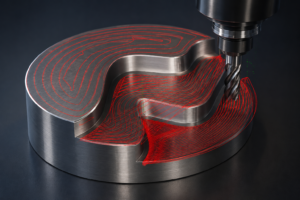
What’s New in ESPRIT EDGE 2026.2: ProfitMilling, 5-Axis & Simulation Updates
By Mariano Torrez |
Manufacturing efficiency is not only about programming faster. It is about creating reliable toolpaths, reducing unnecessary adjustments, and getting the most out of your machine. With ESPRIT EDGE 2026.2, Hexagon continues improving machining workflows with enhancements focused on automation, performance, and better connection between programming decisions and real machine capabilities. Here are some of the…
Read More 
ESPRITWeb to Hexagon Customer Portal (HCP) Transition Guide
By Mariano Torrez |
ESPRIT support and license management have officially transitioned from ESPRITWeb to the Hexagon Customer Portal (HCP). The Hexagon Customer Portal provides a single location to manage your Hexagon Production Software resources, including: Technical support requests License management Software resources Machine Digital Twin Center content will continue to be available through the Machine Digital Twin Center…
Read More 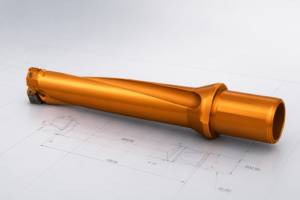
Create a Custom Mill from a 3D CAD Model
By Danish Kapoor |
Creating a custom tool in ESPRIT EDGE allows you to accurately simulate specific tool geometries, such as an insert drill, by using a 3D CAD model provided by a manufacturer. Follow these steps to translate a solid model into a functional custom tool. Import Your Geometry The first step is to bring your tool geometry…
Read More 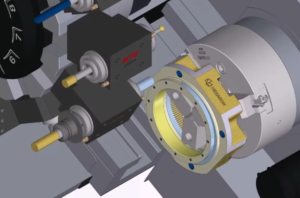
ESPRIT EDGE 2026.1 is Here: What You Need to Know
By Mariano Torrez |
ESPRIT EDGE 2026.1 has officially been released, marking the first major update of the year and setting the foundation for what’s coming next. This release focuses on practical improvements, better automation, and stronger performance for more complex machining workflows. Here’s a breakdown of what stands out and where it can make a difference. Compatibility Updates…
Read More 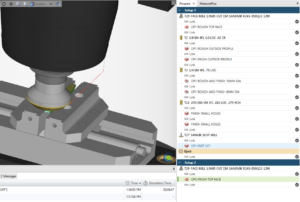
Mastering the Flip: Automatic Stock Transfer in ESPRIT EDGE
By Danish Kapoor |
In this guide, we will walk through the Copy Previous Setup workflow in Esprit Edge. This method allows the system to automatically transfer the remaining stock from one setup to the next, keeping the simulation up to date and eliminating the need for manual stock exports. The result is a cleaner workflow, fewer files to…
Read More 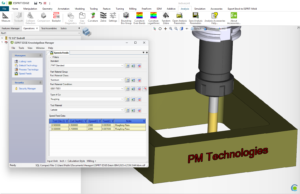
Establishing a Speeds and Feeds Database
By Brent Addington |
There are many reasons to establish a Speeds-and-Feeds database within ESPRIT EDGE, the most prominent being to shorten the amount of time it takes to fully program a part. Creating this database is easier than you think, and we’ll show you how. First, you will need to create a new standard within the Knowledgebase and…
Read More 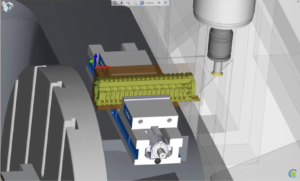
Setup Changes Made Easy
By Brent Addington |
Transitioning between workholding setups within the same EDGE file. Traditionally, when setting up a new job that will run on a single machine, but with multiple fixtures, it would be a daunting task to navigate the work holding and stock transition from setup to setup. ESPRIT EDGE not only has the ability to transition a…
Read More 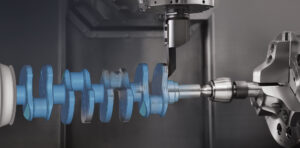
ESPRIT EDGE 2025.4 — Practical Improvements You’ll Notice Right Away
By Mariano Torrez |
ESPRIT EDGE 2025.4 is here, and this update is all about improving accuracy, toolpath quality, and day-to-day reliability. Instead of introducing big new features, this release strengthens the areas machinists use the most. Below is a quick look at the improvements that matter on the shop floor. More Reliable Canned Cycles for Turning Canned cycles…
Read More 
The State of U.S. Manufacturing in 2025
By Mariano Torrez |
The U.S. manufacturing industry continues to evolve – adapting to workforce shifts, automation, and new technologies faster than ever. Hexagon’s 2025 America’s State of Manufacturing Report surveyed 500 manufacturers across the country to understand how shops are tackling these challenges and where confidence is growing. Here are three key takeaways that stand out for PMT…
Read More 
Composite – Blending In
By Brent Addington |
An Intro to 5-axis Composite Cycles. Blending Fillet with the 5th axis 1. Set your Workplane This time, we want our W- Vector point towards the direction that we want our tool to approach from. 2. Build your Freeform Feature We want to select our drive surface (Part) along with designating the surface we do…
Read More 
ESPRIT EDGE 2025.3 — Smarter, Faster, and Ready for What’s Next!
By Mariano Torrez |
ESPRIT EDGE 2025.3 is officially out, bringing powerful enhancements that make programming smoother, faster, and more precise across all types of machining environments. This version continues the evolution of ESPRIT EDGE as a next-generation CAM platform built to handle complex, high-demand production with reliability and efficiency. What’s New in 2025.3 Improved Slotting Controls in ProfitMilling…
Read More 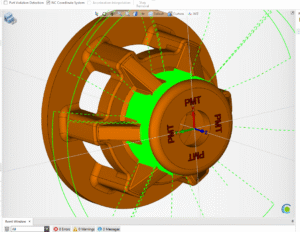
Composite – Radial 5 Axis Machining
By Brent Addington |
An intro to 5-axis composite cycles. Written in as few words as possible… 1. Set your Workplane XYZ will work great for 360 Radial Surfacing 2. Create your FreeForm Features Select your Machined/Part surfaces Set all else to Check 3. Create your Projection/Drive Surface Create a circle on…
Read More 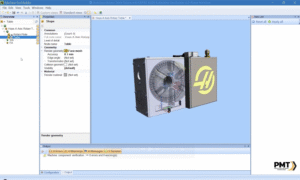
Building a Rotary Table Fixture with ESPRIT EDGE & Machine Tool Builder
By Ben Wright |
Integrating a rotary table fixture into your machining setup can significantly expand your capabilities-especially when working with complex 4-axis or 5-axis parts. With ESPRIT EDGE and Machine Tool Builder, the process of defining, aligning, and testing a rotary table becomes efficient and repeatable. In this blog, we’ll walk through a 3-phase process to create a…
Read More 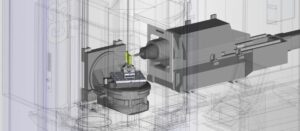
A Desirable Collision
By Brent Addington |
We’ve all been there, we set up our Freeform feature correctly, we dialed our tool in, we’ve even modeled in our exact tool holders. All just to have “Unreachable Profiles Error” show up on our screens after our first attempt at a 5 axis operation. Don’t let this discourage you!. There is a…
Read More 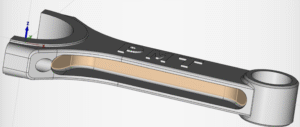
Simple Surface Creation using Knitted 4 Border Surface
By Brent Addington |
Creating drive or projection surfaces can sometimes be intimidating if you aren’t familiar with the knitted surface functions. Knitted 4 Border Surfaces is a great tool that can be used in a multitude of scenarios even when there are partially looped surfaces involved. In this scenario, we would need a continuous drive surface for us…
Read More 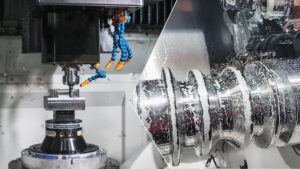
Understanding Cutter Compensation and Offset Register Value in ESPRIT EDGE
By Matt Ryan |
Cutter compensation is one of the most critical-and occasionally misunderstood-features in CNC programming. In ESPRIT Edge, understanding how offset values influence both simulation and machine behavior is essential for accurate toolpath validation and production-ready G-code. This post focuses on a specific issue many users encounter: a simulation where the tool appears to drill directly into…
Read More 
How to Add an Indexable Holder to a Turret in ESPRIT EDGE 2025
By Matt Ryan |
In modern CNC programming, accuracy begins long before the first chip falls. It starts with proper digital setup-especially for complex tool assemblies like indexable holders. ESPRIT Edge 2025 offers a streamlined way to simulate these assemblies, ensuring fidelity between your CAM environment and shop floor reality. This guide walks you through the process of adding…
Read More 
ESPRIT 2025 R1 is Here — What’s New and Why You Should Update
By Mariano Torrez |
As we announced in our May newsletter, ESPRIT 2025 R1 is now officially available. This new release brings significant updates that improve performance, compatibility, and reliability. Whether you’re a longtime ESPRIT user or just getting started, there’s something in this release for everyone. Key Highlights in ESPRIT 2025 R1 1. SQL Server Upgrade: Future-Proofing…
Read More 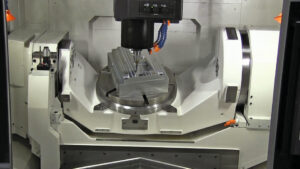
Setting Up a Rotary Table in ESPRIT: A Step-by-Step Guide
By Matt Ryan |
Working with 5-axis parts in ESPRIT? If your machine setup includes a rotary table, replicating that configuration in your virtual environment is essential for accurate simulation and reliable toolpaths. Here’s a quick guide to help you set it up correctly in ESPRIT. Step 1: Launch ESPRIT with a New File Open ESPRIT and start fresh.How:…
Read More 
ESPRIT EDGE 2025.2 – Smarter Programming, New Capabilities
By Mariano Torrez |
The upcoming release of ESPRIT EDGE 2025.2 brings powerful updates aimed at streamlining workflows and expanding programming capabilities. This version will introduce support for Swiss machines and launch ProPlanAI, a new machine learning-driven tool for automated process planning. It also includes a range of enhancements, bug fixes, and user experience improvements. Stay tuned for the…
Read More 
Thinking About an ESPRIT Server License? Here’s What You Need to Know
By Mariano Torrez |
If your shop is growing and more people need to access ESPRIT, you’ve probably heard about server licenses (also called network licenses). They’re a great option for sharing access across a team, but they come with a few things to consider before making the switch. What’s a Server License? A server license lets multiple users…
Read More 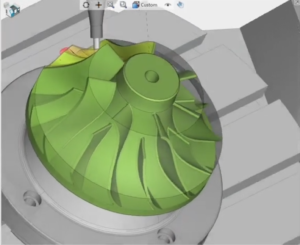
SkillBuilders ESPRIT EDGE “Impeller Programming FreeForm 5-Axis”
By Mark Wuethrich |
New to ESPRIT EDGE FreeForm 5-Axis? Summary of the Video New to ESPRIT EDGE FreeForm?! Discover how and why to build powerful FreeForm features that take your machining to the next level Learn with PMT the secrets behind stock automation and when to use it for maximum efficiency. Plus, master building operations while understanding essential…
Read More 
ESPRIT EDGE 2025.1 Official Release
By Mariano Torrez |
We’re excited to announce the release of ESPRIT EDGE 2025.1, packed with powerful new features and enhancements designed to maximize your productivity and efficiency. Here’s what’s new: 1. Enhanced Operation Suppress/Unsuppress With the latest update, ESPRIT EDGE now preserves Tool Change Positions when suppressing or unsuppressing operations. This builds upon the previous version’s capability to…
Read More 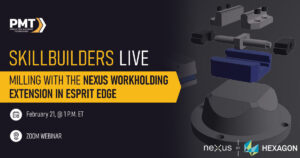
Feb 21, 2025
SkillBuilders ESPRIT EDGE “Speed & Precision: Milling with the Nexus Workholding Extension”
By Mark Wuethrich |
Webinar Summary Enhanced Mill Programming: Learn how to streamline programming in ESPRIT by directly integrating Hexagon’s Nexus platform for quick access and easy importing of workholding fixtures. Efficient Fixture Management: Discover how to rapidly select, position, and adjust tombstones and vises within ESPRIT, enabling versatile and flexible machine setups. Advanced Machining Strategies: Explore practical applications…
Read More 
Better Understanding Holders, Fixtures, and Other Machine Components in ESPRIT EDGE
By George Nacarato |
When setting up machine components in ESPRIT EDGE, understanding attachment points and how different components connect is crucial for a successful workflow. Each component type has a specific prefix that helps define its attachment point and purpose. Let’s break this down into manageable sections to better understand the naming conventions and their practical applications. Key…
Read More