
There are many reasons to establish a Speeds-and-Feeds database within ESPRIT EDGE, the most prominent being to shorten the amount of time it takes to fully program a part. Creating this database is easier than you think, and we’ll show you how.
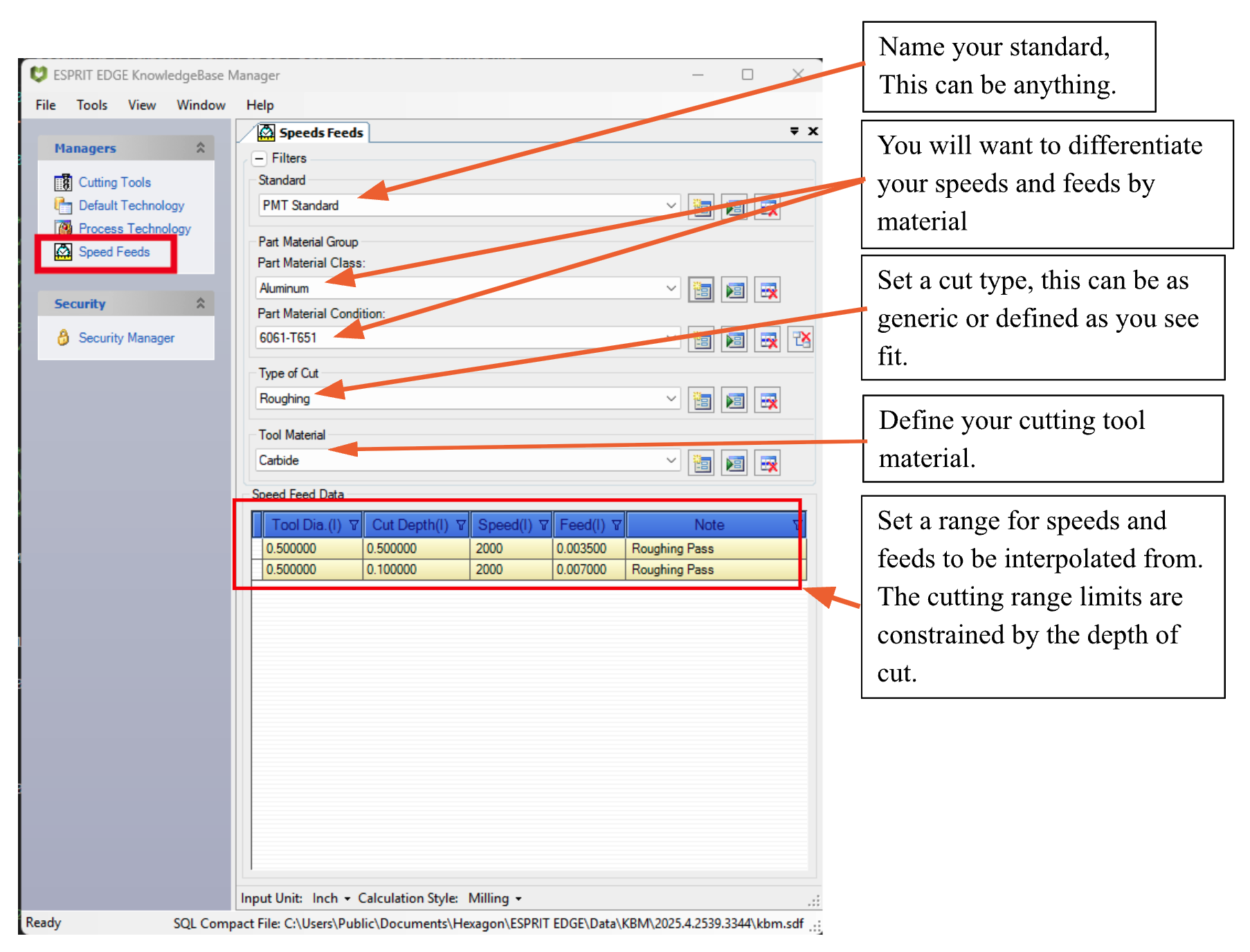
- First, you will need to create a new standard within the Knowledgebase and define your variables.
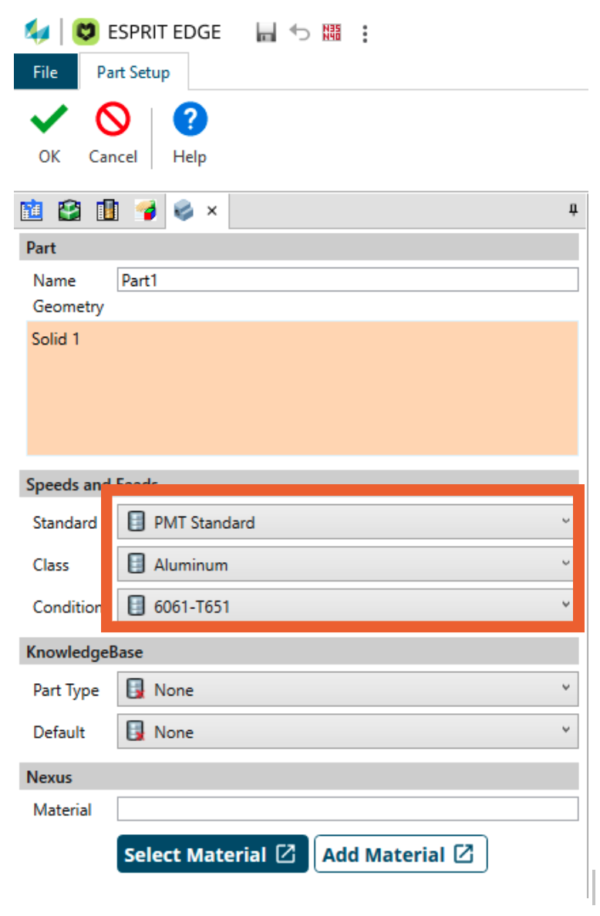
- Second, set your EDGE file to this newly created standard within Part Setup
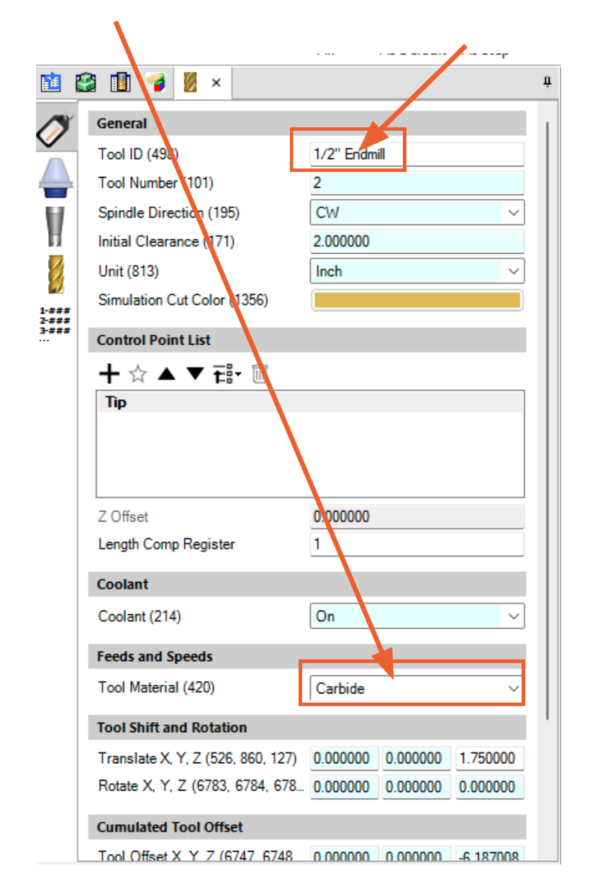
- Third, ensure your tool material is set.
- (Note- the tool diameter matches what I set in my Knowledgebase)
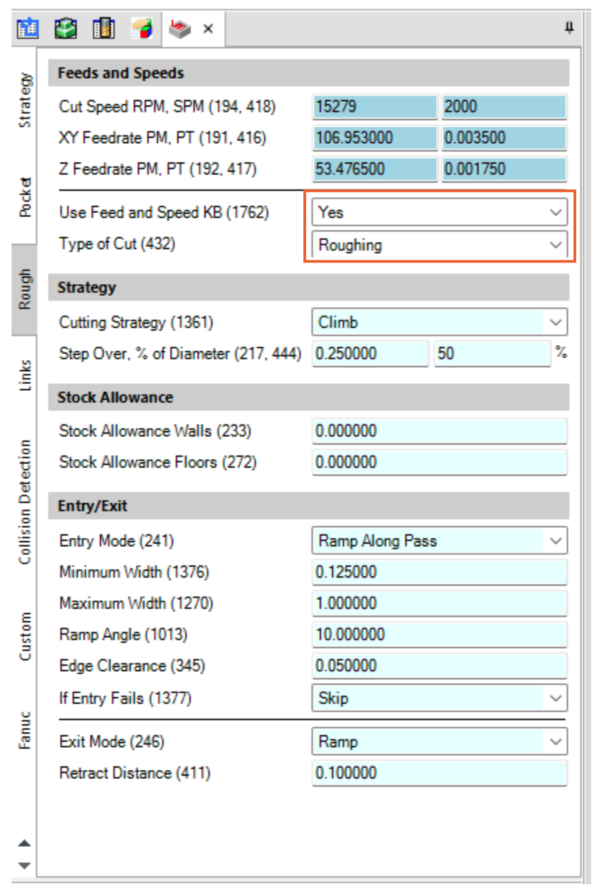
- Finally, set your operation to pull your Speeds and Feeds from Knowledgebase.
- This is where you will define your Type of Cut.
For a more detailed walkthrough, you can watch our YouTube tutorial that will go over how to set up your database while also providing a detailed overview of additional settings.