
Teaching Sub Spindle Reference Positions For Pickup Operations In ESPRIT EDGE.
When programming transfer sequences in ESPRIT EDGE, you can fully tailor the pickup cycle to how you would normally do so at the machine. This would include having the sub spindle rapid to the face of the part (or clearance position) on the main spindle, we will call this Z0, then feed to a pre-determined position within the pickup cycle. For most machines in EDGE, the pickup cycle position, by default, is calculated from the sub spindle home position. This is why you normally see a very large value populate in the posted code for the pickup position. To teach the sub spindle pickup position to the face of the part, you will need to perform the following steps.
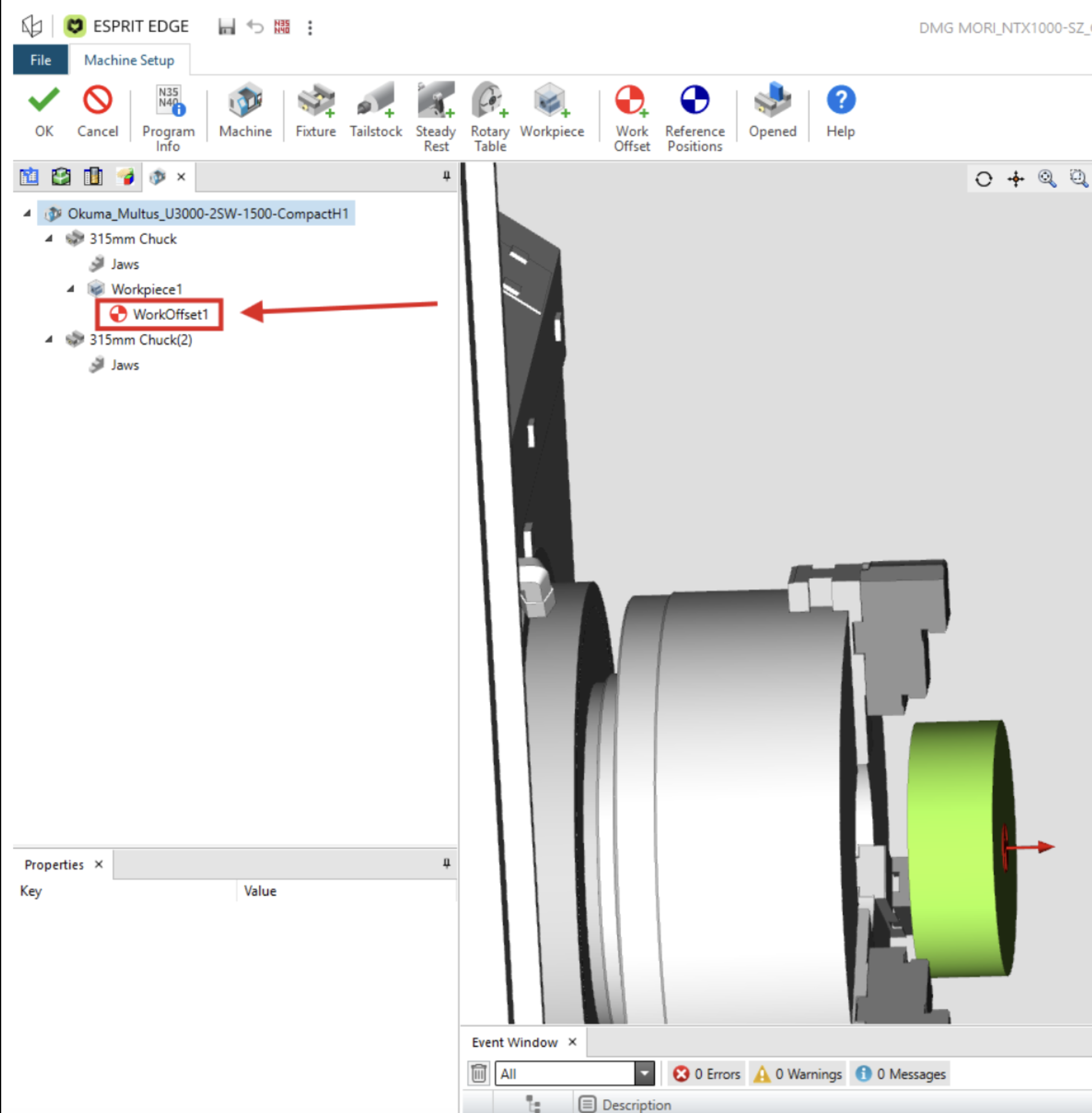
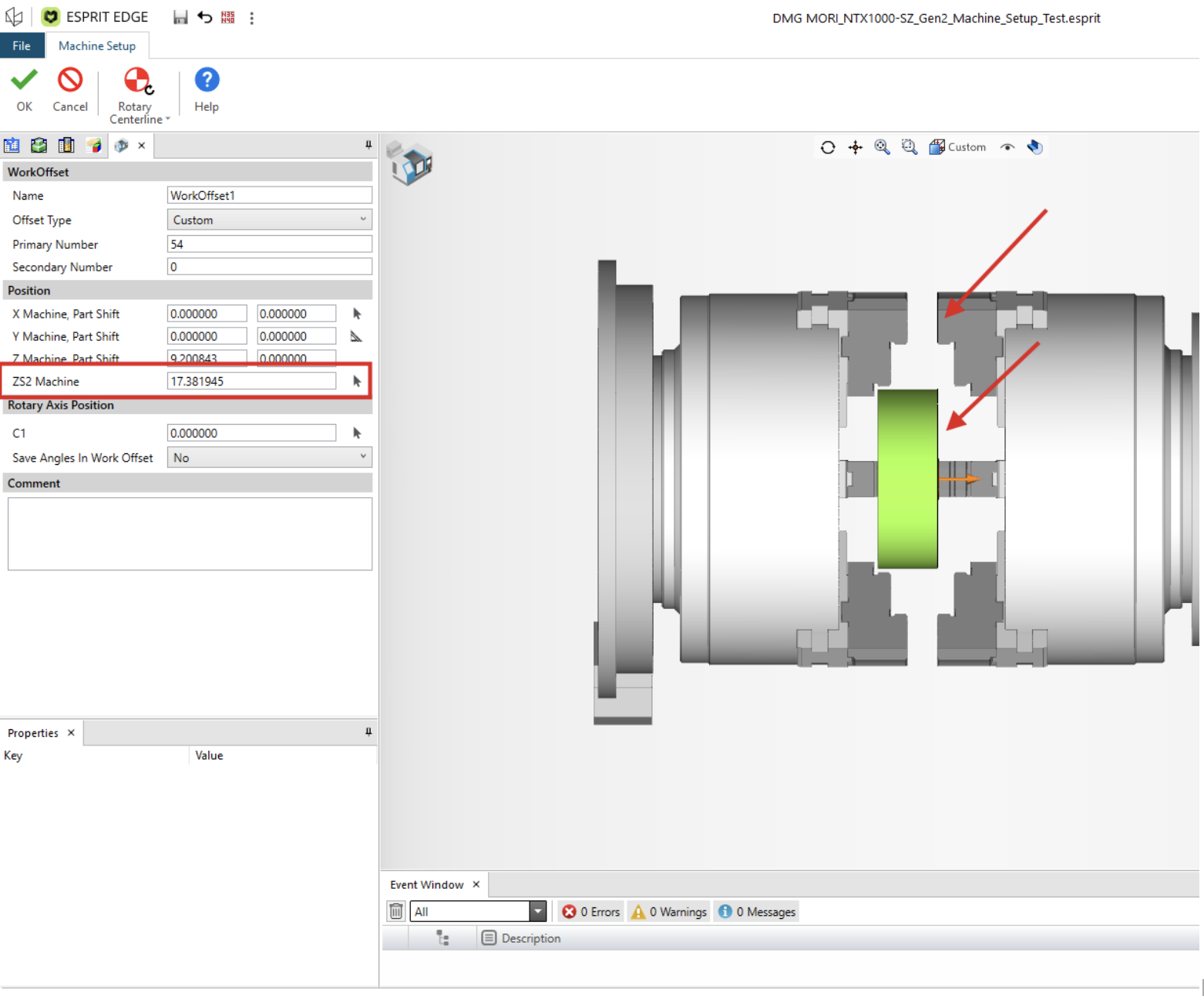
Step 1: Navigate to your work offset located in your machine setup
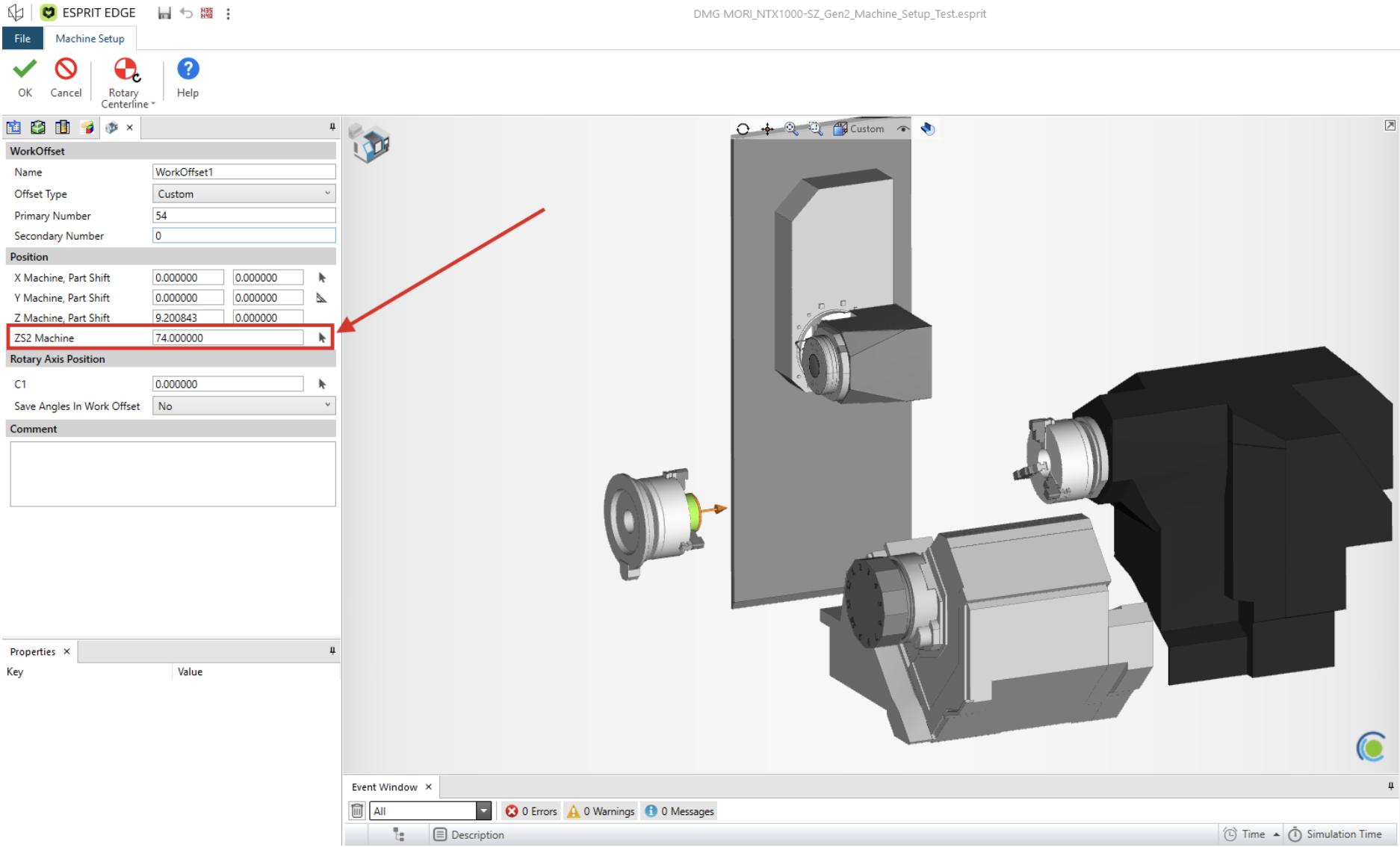
Step 2: Find the ZS2 Machine Field (Normally located under the Positions section at the bottom)
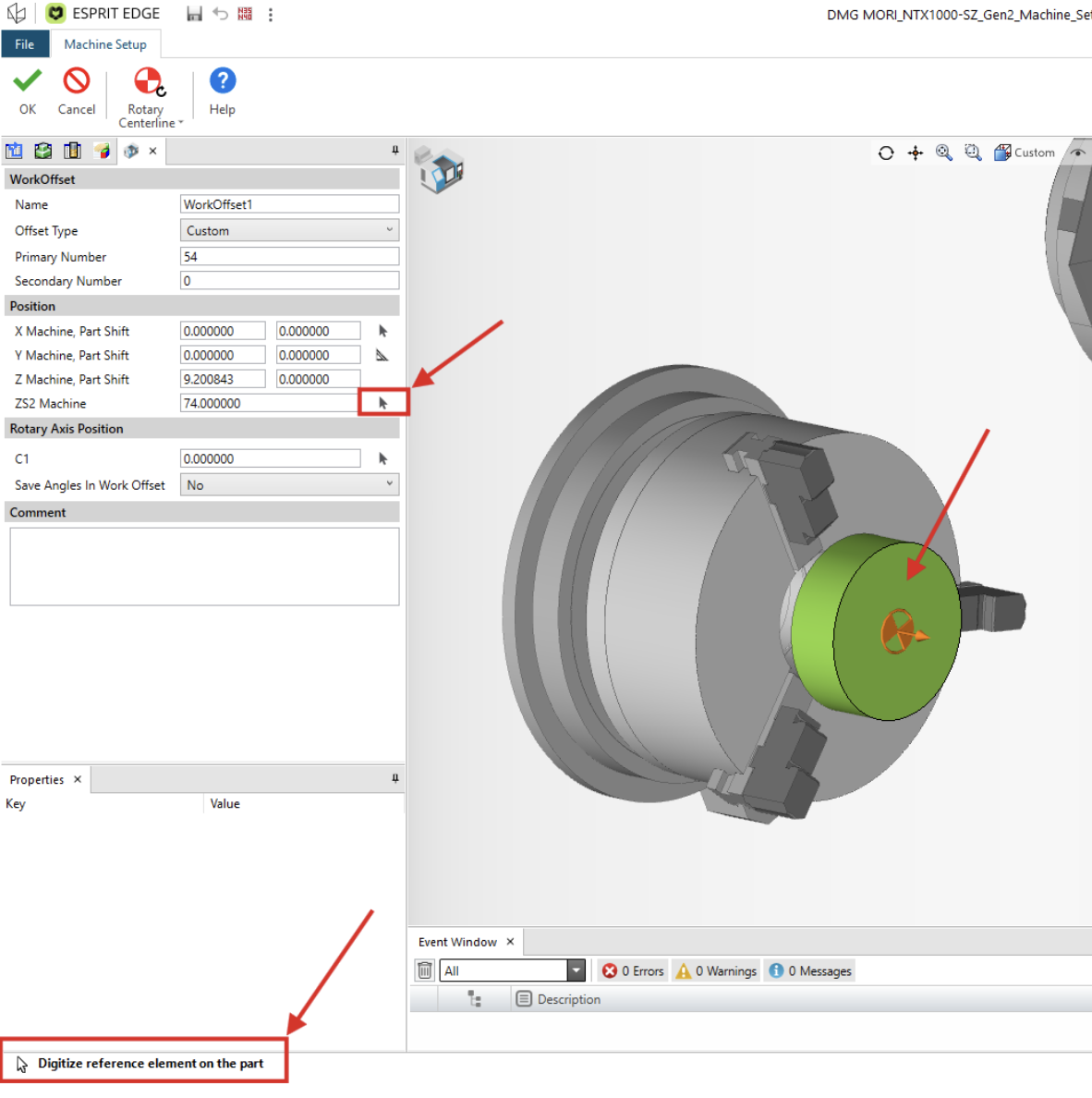
Step 3: Click the Digitize arrow to begin selecting the reference positions for pickup.
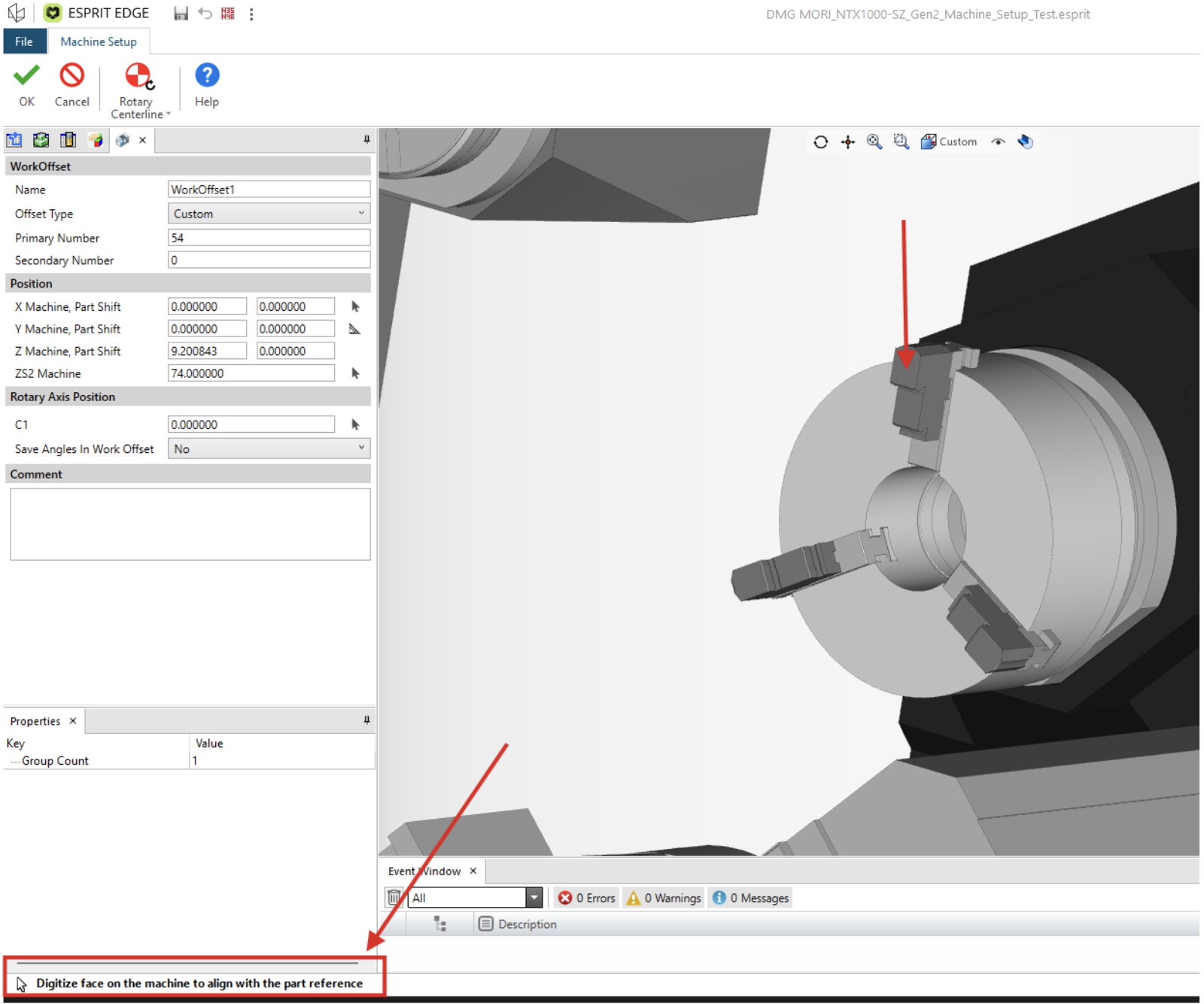
NOTE: Prompts for the next 2 steps will be located at the bottom left hand corner of the screen.
Step 4: Select the face of the part where your sub spindle Zero will be located
Step 5: Select the face on the sub spindle Jaws (or wherever you would prefer zero to be referenced to)
Step 6: Graphics should now indicate where the sub spindle (Z)0 would be when a pickup cycle is programmed.
After hitting OK through exiting the machine setup, program your Pickup cycle, and post the code. You should now see the updated pickup position that is properly defined and referenced as you would have set up at the machine.
For a more detailed walkthrough, you can see the associated video that is linked. For more information or to inquire about one-on-one training, please feel free to reach out to us directly.