
Manufacturing teams rely on accurate simulation to reduce errors, optimize machining processes, and improve productivity. With NCSIMUL 2026.2, users gain new tools designed to make verification workflows faster, easier, and more efficient.
This latest release introduces improvements across simulation, user experience, and CAM integration to help programmers spend less time navigating software and more time improving manufacturing processes.
Faster Verification with Rest Stock Preview
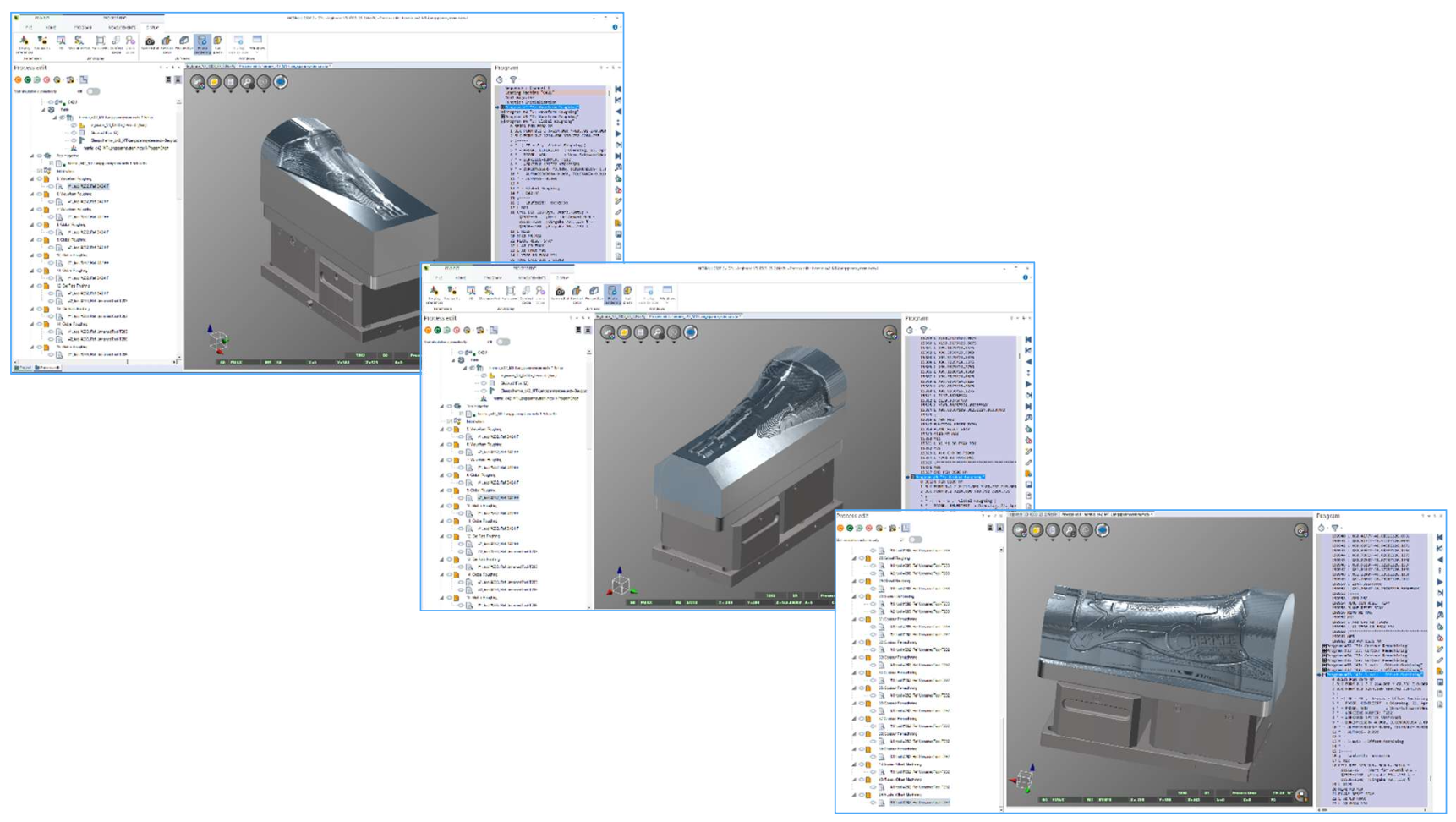
One of the biggest enhancements in NCSIMUL 2026.2 is the introduction of Rest Stock Preview.
This new capability uses GPU-based material removal calculation to quickly generate a preview of the machined stock at different stages of the manufacturing process.
Instead of running a complete detailed simulation every time, users can quickly review machining progress operation by operation and decide exactly where a detailed verification needs to begin.
With Rest Stock Preview, users can:
- Quickly visualize intermediate machining results
- Review remaining stock after each operation
- Reduce unnecessary simulation time
- Focus detailed collision detection where it matters most
A More Efficient User Experience
NCSIMUL 2026.2 includes several interface improvements designed to simplify everyday programming tasks and create a smoother workflow.
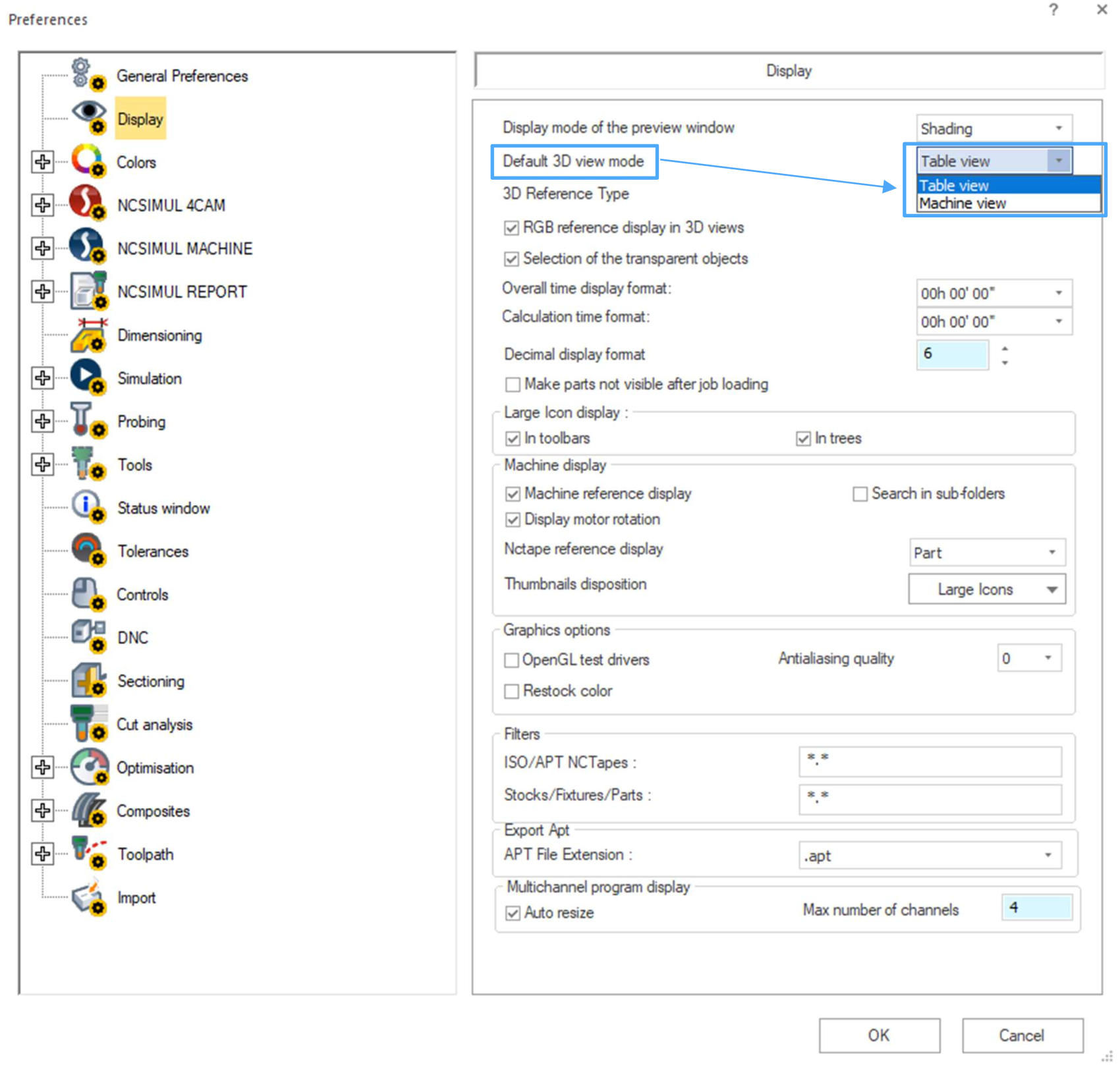
A new preference option allows users to define the default 3D view mode for new projects, including projects created through NCSIMUL CAM Interfaces.
This helps programmers maintain a consistent working environment and reduces setup time when creating new simulations.
Improved Data Synchronization
Keeping machining data accurate is critical when changes happen during programming.
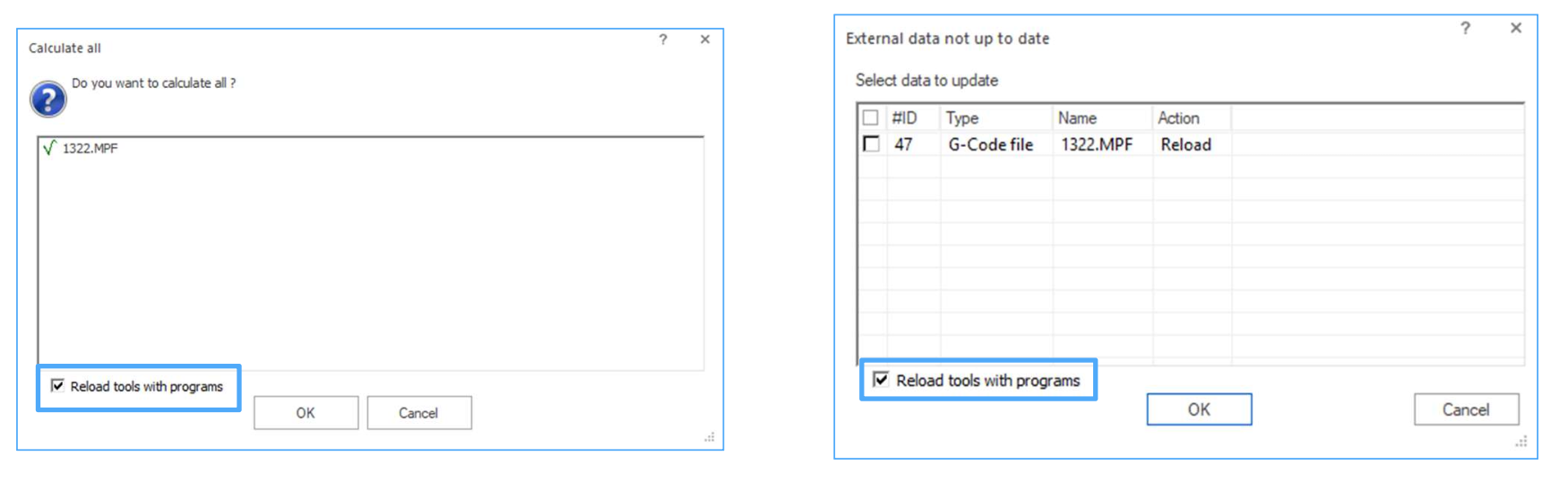
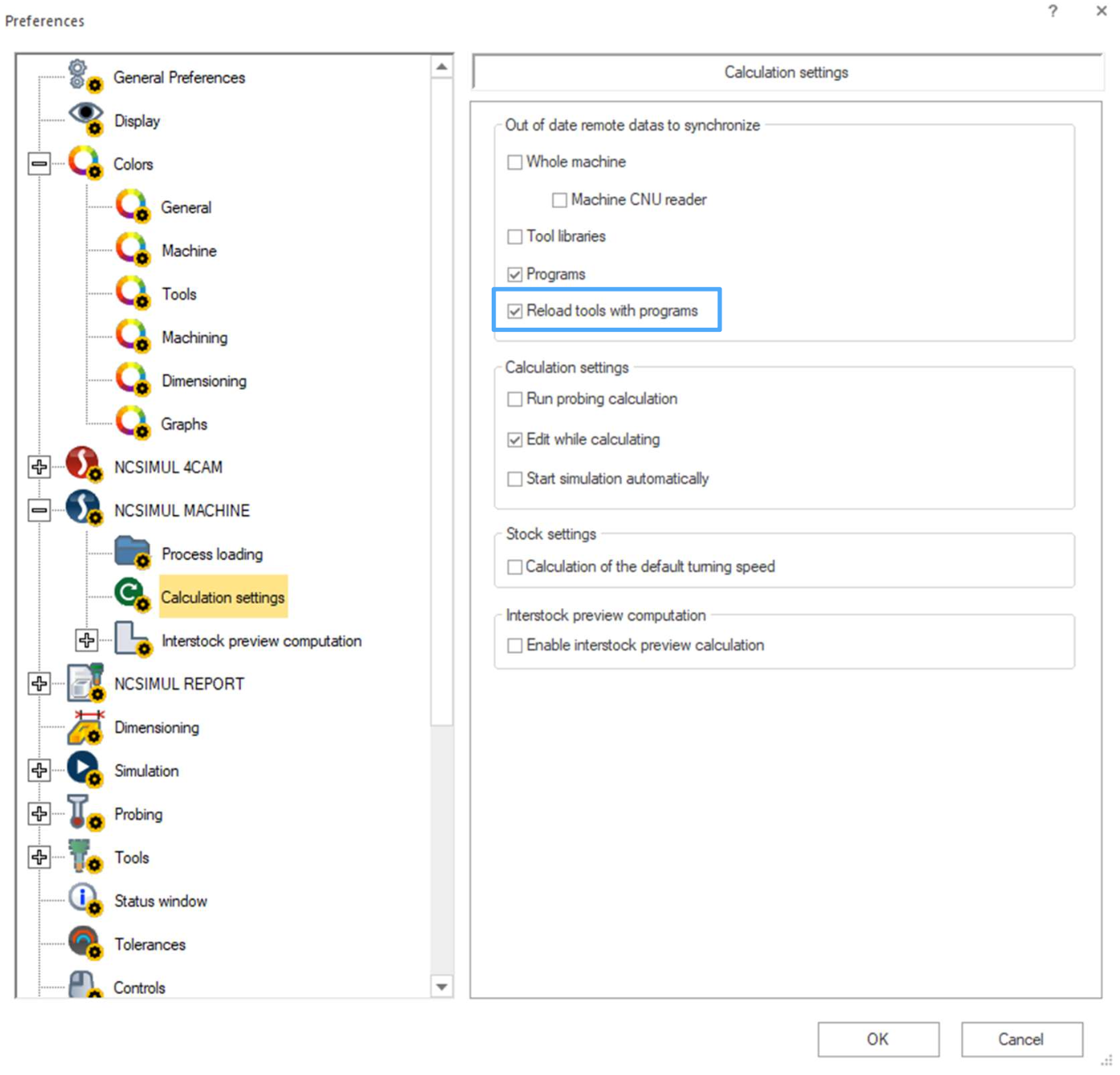
NCSIMUL 2026.2 introduces a new synchronization option that allows users to reload tools and NC programs together after updates are made.
This helps maintain consistency between tool configurations, programs, and simulation projects.
Better Visibility into Machining Times
Understanding cycle times is an important part of improving manufacturing efficiency.
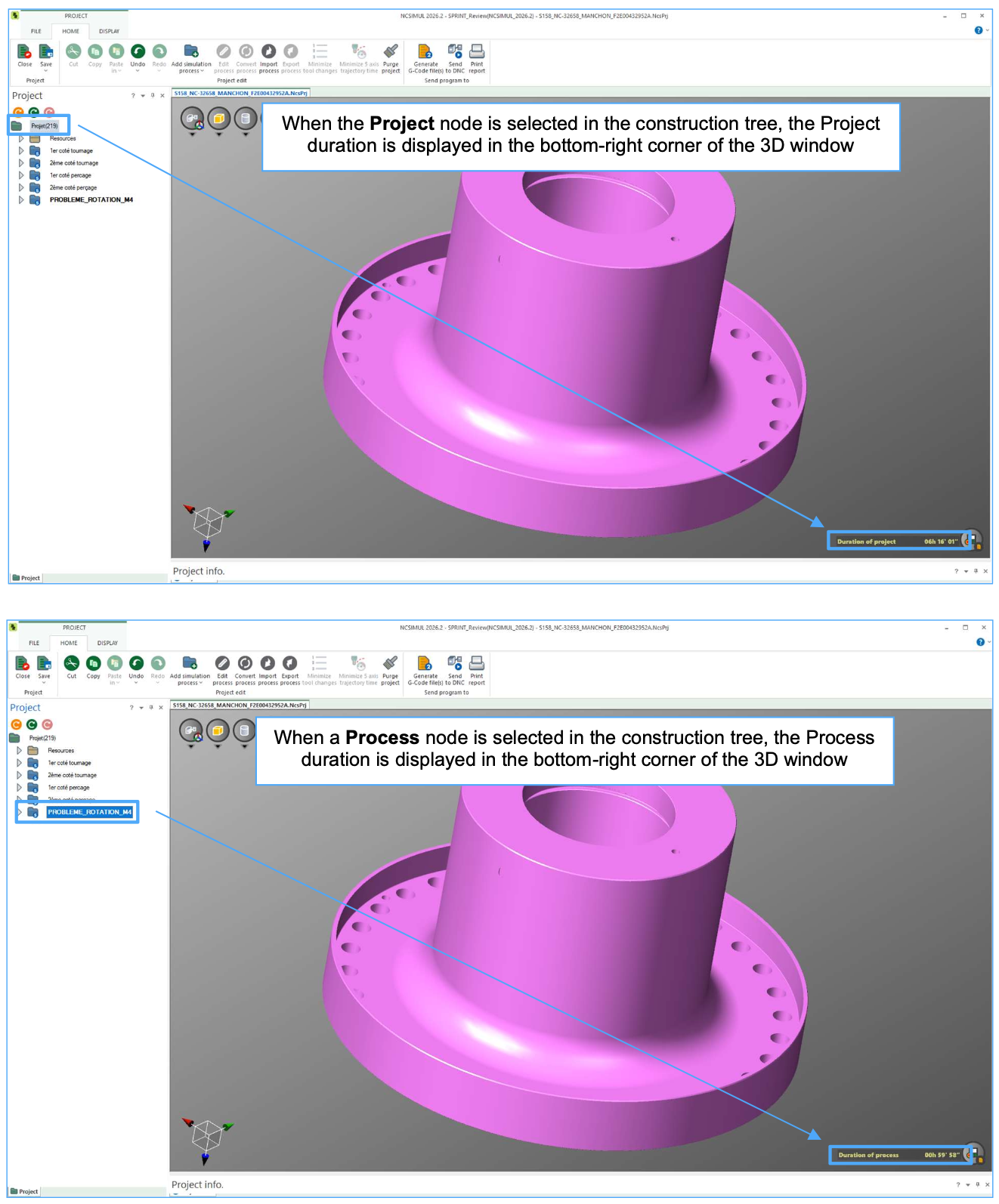
With NCSIMUL 2026.2, project and process durations can now be viewed directly from the Project View without needing to open additional windows.
This provides a faster way to analyze machining time, especially when working with complex multi-process projects.
Expanded CAM and Tooling Support
NCSIMUL 2026.2 continues expanding connectivity with support for the latest CAM system versions, including:
- ESPRIT EDGE 2026.1
- EDGECAM 2026.1
- CATIA V5-R2026
- Mastercam 2026 R2
- GibbsCAM 2026
- PowerMill 2026
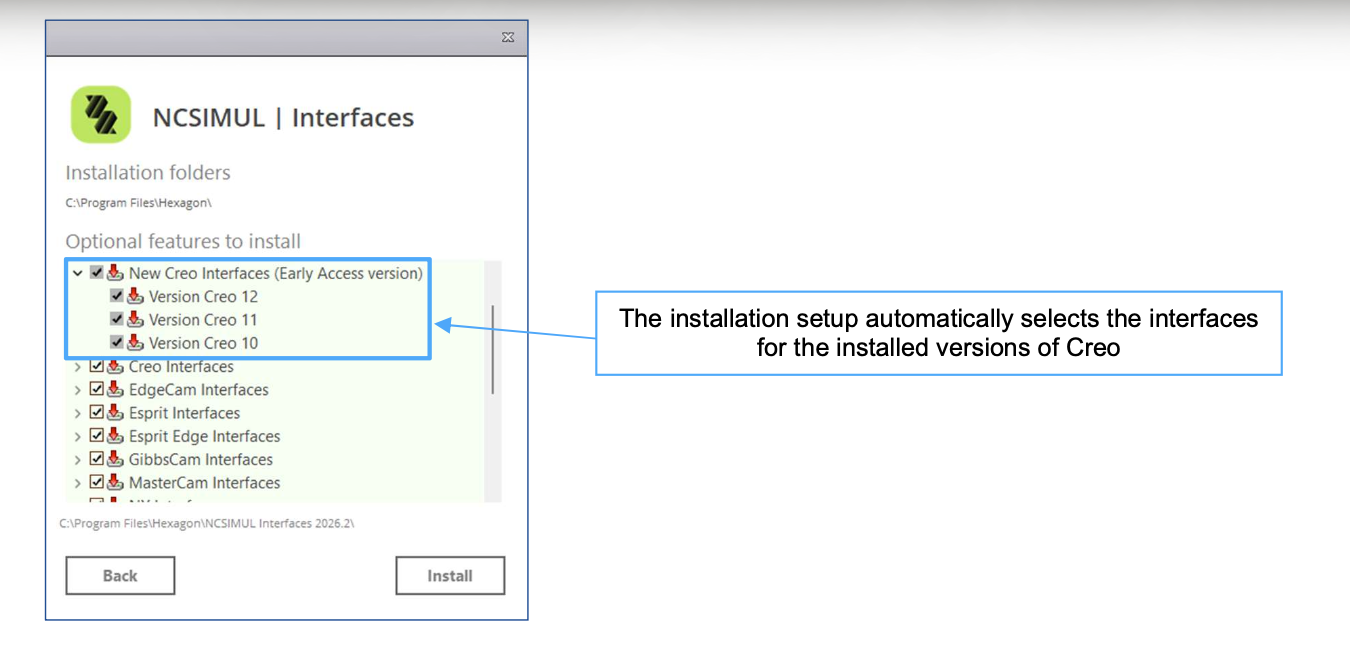
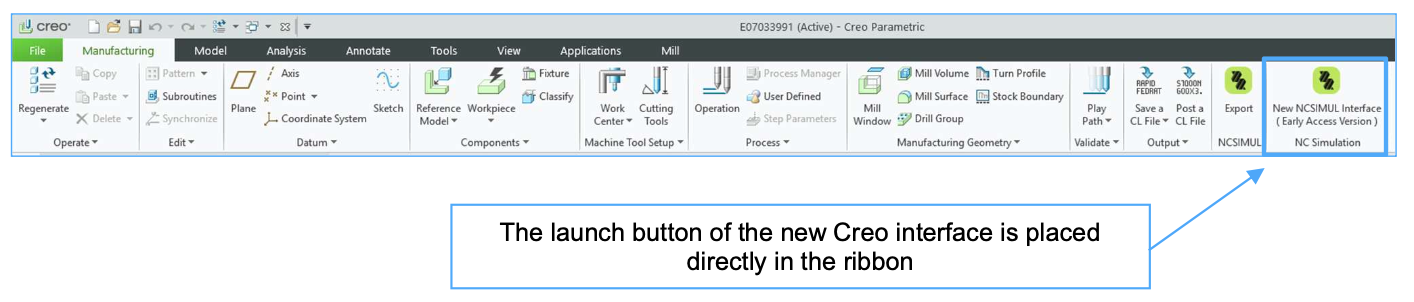
Additional enhancements include support for angle heads through the TMS ZOLLER interface and early access to a new Creo interface designed to reduce manual setup and simplify data transfer.
Take Advantage of the Latest NCSIMUL Enhancements
NCSIMUL 2026.2 delivers improvements focused on faster verification, easier workflows, and greater confidence before machining begins.
From Rest Stock Preview to expanded CAM connectivity, this release helps manufacturers improve productivity while reducing programming and verification time.
Ready to learn more about NCSIMUL 2026.2? Contact PMT today.
Recent Posts
-
ESPRIT EDGE 2026.3: New Features & What You Need to Know
-
How to Set Sub Spindle Pickup Reference Positions in ESPRIT EDGE
-
PMT and Morphos 3D Partner at IMTS 2026 to Connect CAD, CAM, and ERP
-
ESPRIT EDGE Toolpaths Grayed Out? Here’s How to Fix It
-
What Is VISI? An Introduction to CAD/CAM for Mould & Die Manufacturing