
Modern manufacturing requires more than creating accurate geometry. Teams need tools that improve communication, reduce manual steps, and create a smoother connection between design and production.
The latest release of DESIGNER 2026.2 introduces enhancements focused on simplifying workflows, improving manufacturing documentation, and helping users work faster with a more modern CAD environment.
Smarter Manufacturing Communication with Improved Hole Annotations
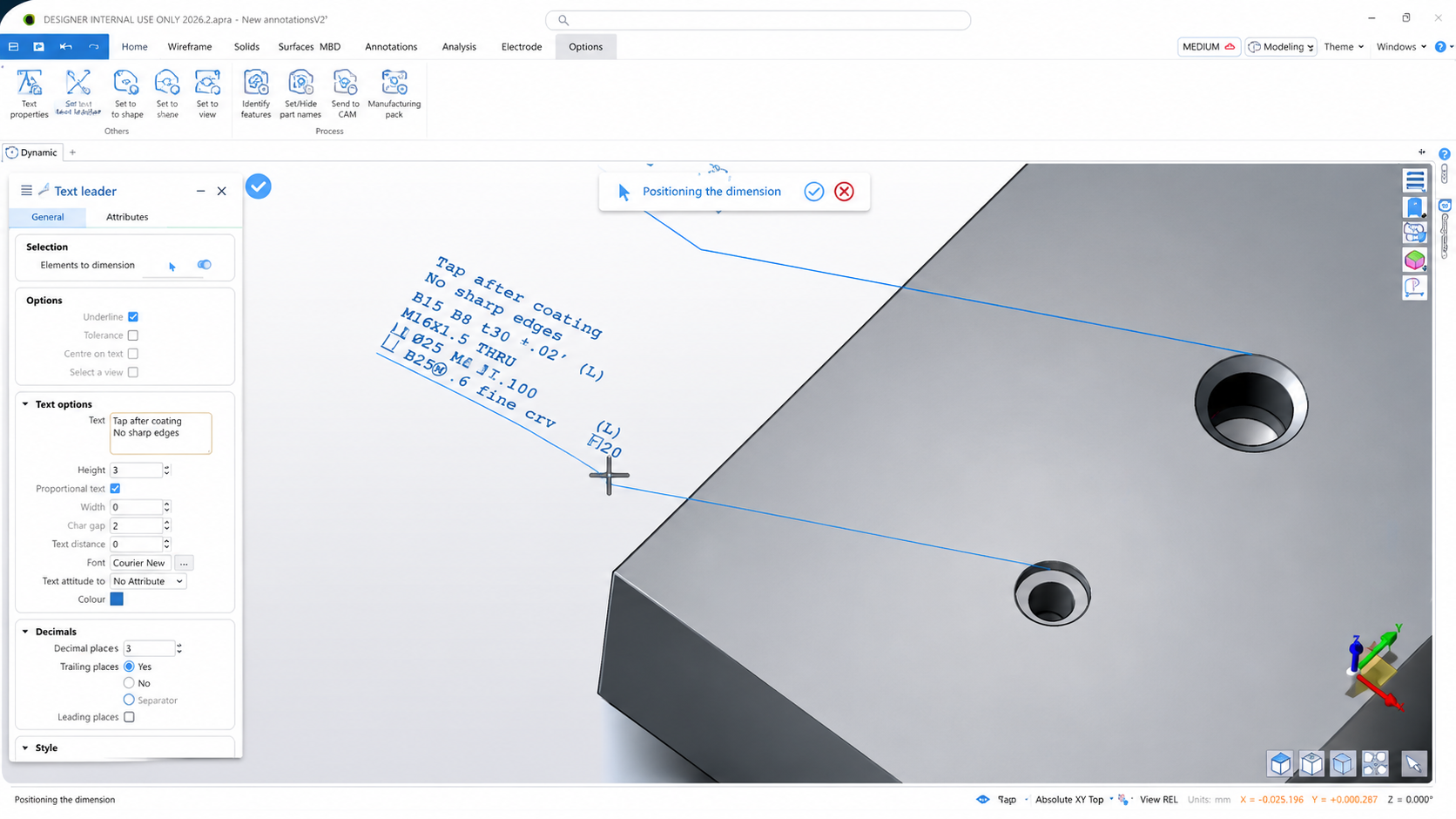
Clear communication between engineering and manufacturing is critical. DESIGNER 2026.2 introduces enhanced Hole Command functionality with improved support for 3D Notes, Text Leaders, and industry-standard symbols.
Users can now create cleaner and more flexible annotations in both 2D and 3D environments, reducing the need for lengthy descriptions while making manufacturing intent easier to understand.
The result is clearer documentation, fewer questions on the shop floor, and a more efficient transition from design to production.
Improved Recognition for Structural Components
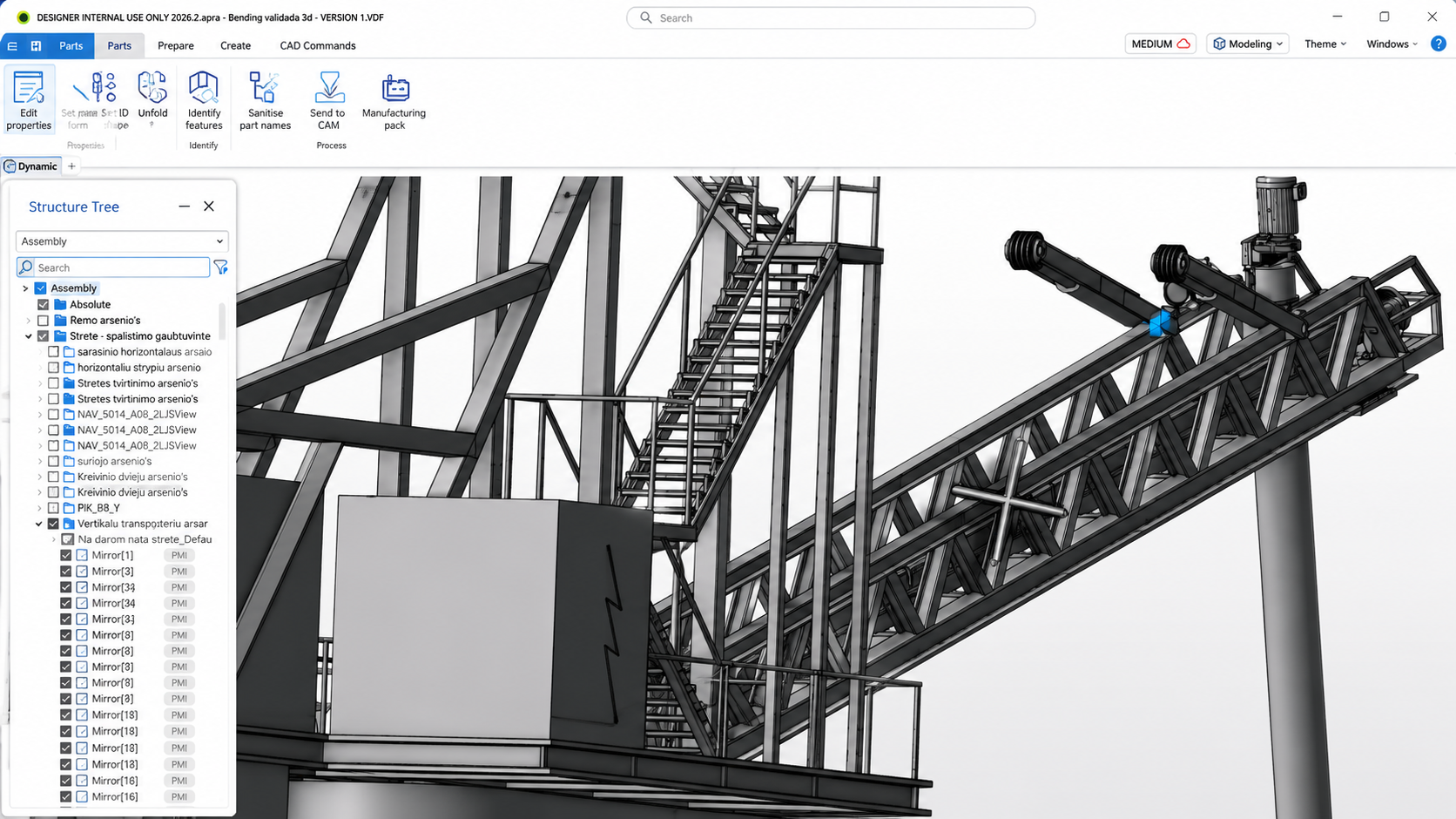
DESIGNER 2026.2 expands automatic shape recognition with support for common flanged steel profiles, including I-Beams and H-Beams.
These profiles can now be automatically identified, with dimensions transferred directly into Manufacturing Pack XML outputs. This reduces manual data entry, improves consistency, and helps streamline downstream manufacturing processes.
Better Sheet Metal Production with Automatic Incisions
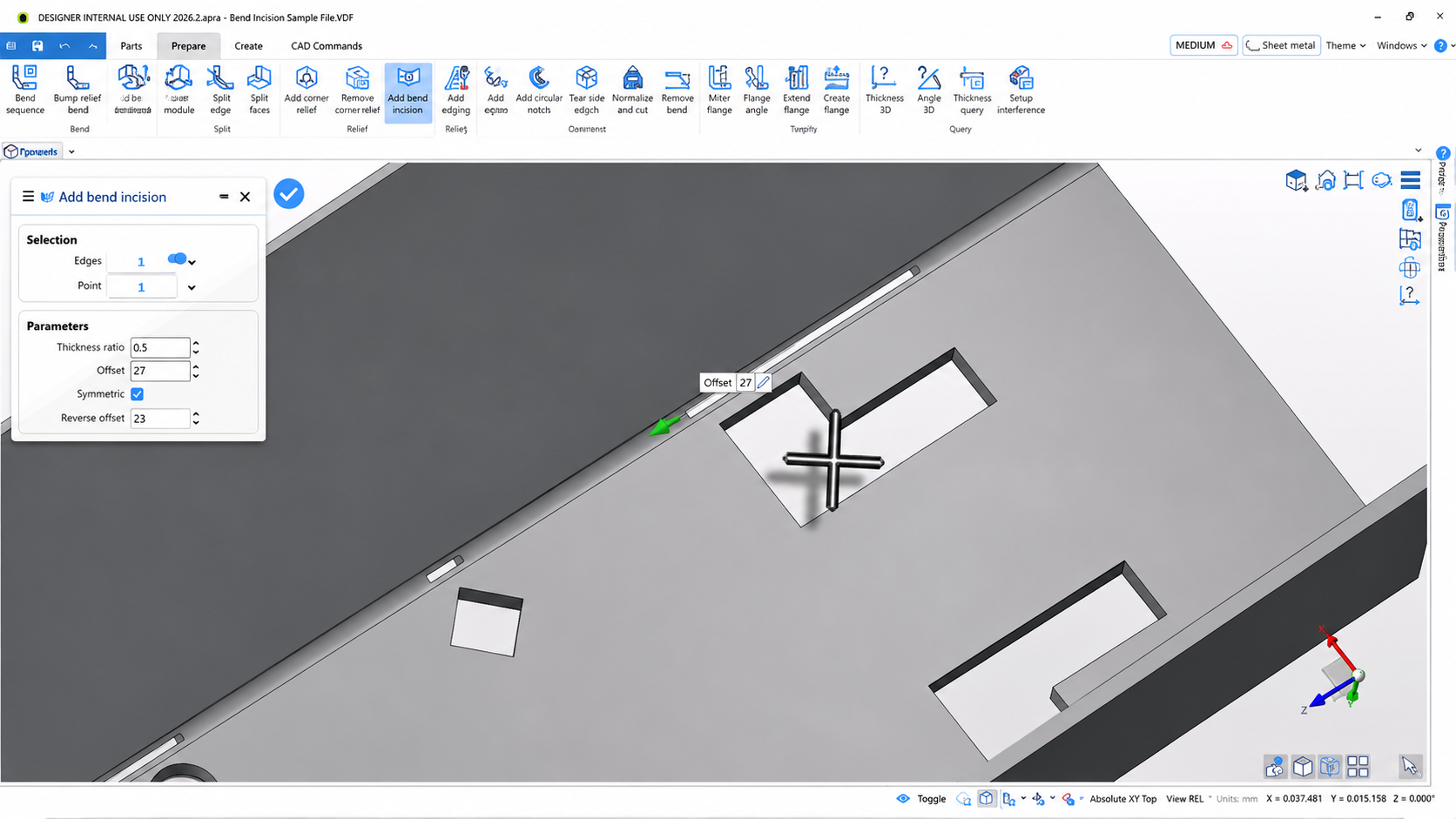
Preparing sheet metal components is now more efficient with automatic bend relief incision support.
DESIGNER automatically creates and sizes incisions based on material thickness, helping prevent deformation around bend areas and improving production accuracy.
By automating this process, users can reduce preparation time while improving consistency across manufactured parts.
A Cleaner, More Modern User Experience
The DESIGNER interface continues to evolve with improvements designed around productivity.
A redesigned right-click workflow provides faster access to commonly used commands with a cleaner, modern context menu. New floating tiles also maximize available workspace by reducing unnecessary screen clutter and creating a more flexible design environment.
These updates allow users to spend less time navigating menus and more time focusing on their designs.
More Control Over Bending Workflows
Bending workflows receive several improvements in DESIGNER 2026.2.
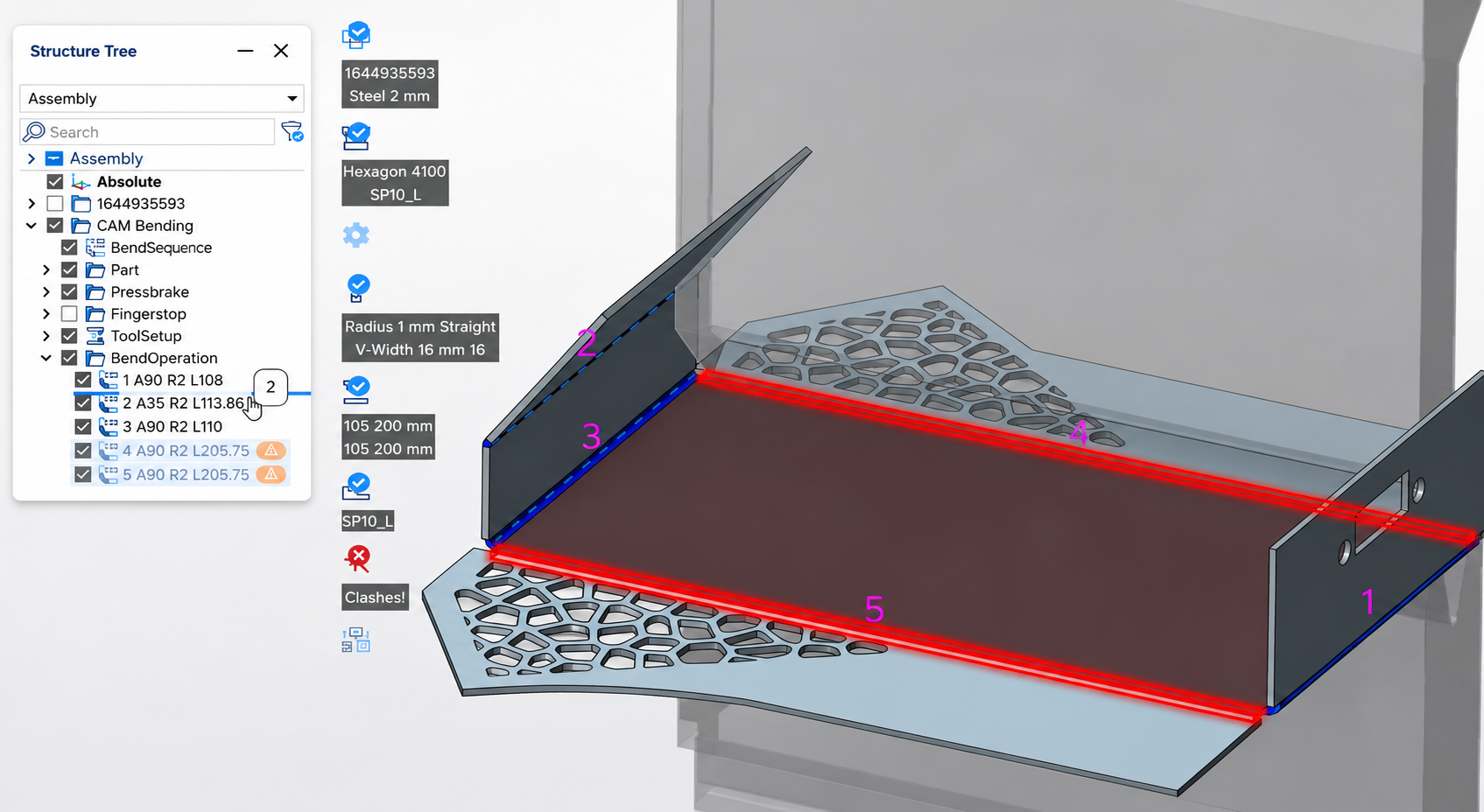
Users can now reorder bending elements directly within the Structure Tree using drag-and-drop functionality. Programs update automatically, while collision and warning statuses refresh instantly.
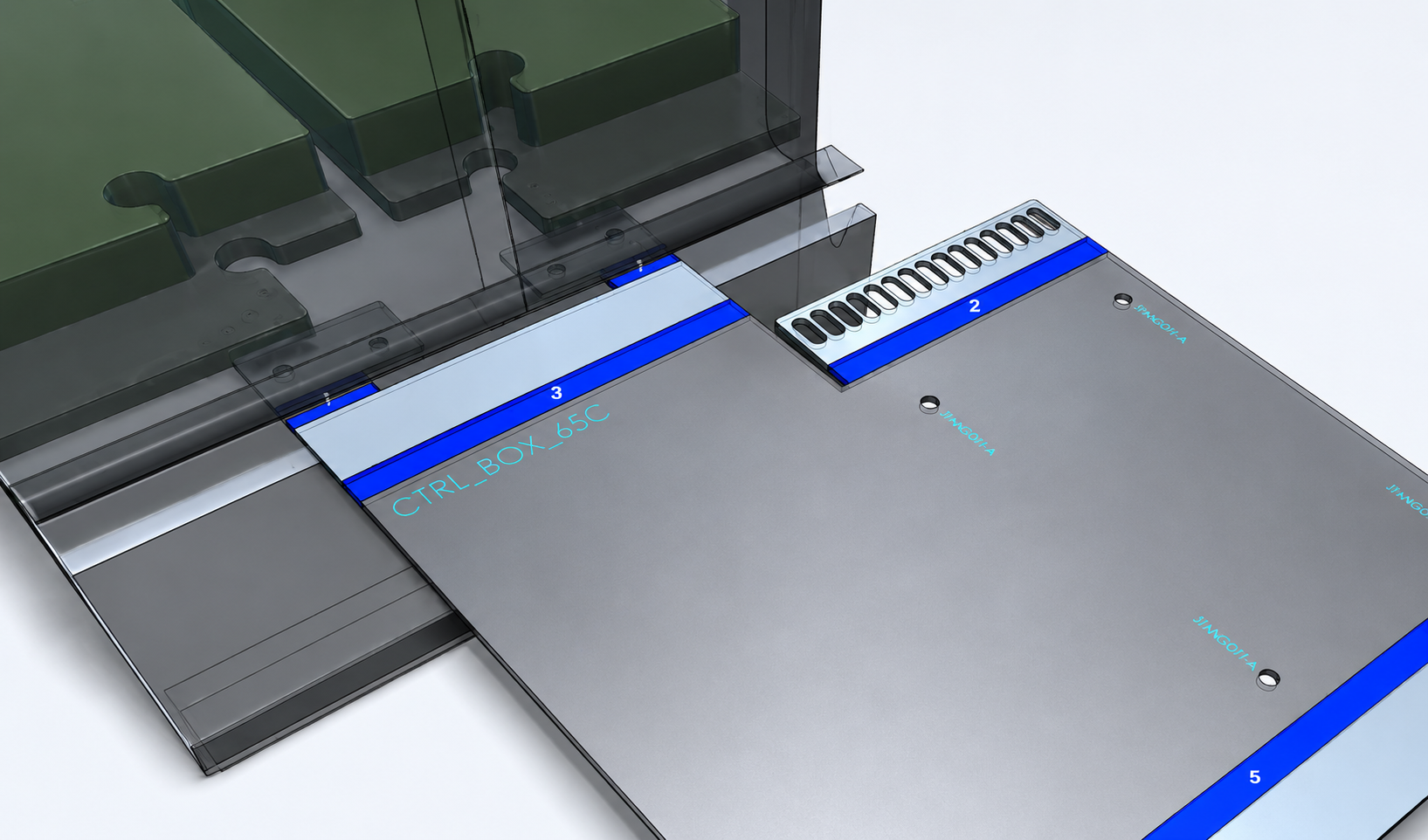
Etching and marking operations are also now visible throughout the bending workflow, including simulation, NC output, and BendViewer. This makes it easier to confirm part orientation and reduce production mistakes.
AI Assistance with Hexagon Copilot
Hexagon Copilot is now available to all DESIGNER users, bringing AI-powered assistance directly into the software.
Users can ask questions, learn commands, explore workflows, and receive guidance through natural conversations.
This helps shorten the learning curve for new users while helping experienced users find information faster.
Expanded CAD Compatibility
DESIGNER 2026.2 also introduces expanded support for the latest CAD formats, including:
• NX 2512
• JT 10.11
• CATIA V5-6R2026
• Fusion 360 2606.1.36
Keeping compatibility up to date ensures smoother collaboration across different engineering environments.
Upgrade to DESIGNER 2026.2
With improvements across documentation, sheet metal manufacturing, user experience, AI assistance, and CAD compatibility, DESIGNER 2026.2 helps teams improve productivity from design through manufacturing.
Contact the PMT team to learn more about upgrading and taking advantage of the latest DESIGNER enhancements.
Recent Posts
-
ESPRIT EDGE 2026.3: New Features & What You Need to Know
-
How to Set Sub Spindle Pickup Reference Positions in ESPRIT EDGE
-
PMT and Morphos 3D Partner at IMTS 2026 to Connect CAD, CAM, and ERP
-
ESPRIT EDGE Toolpaths Grayed Out? Here’s How to Fix It
-
What Is VISI? An Introduction to CAD/CAM for Mould & Die Manufacturing