
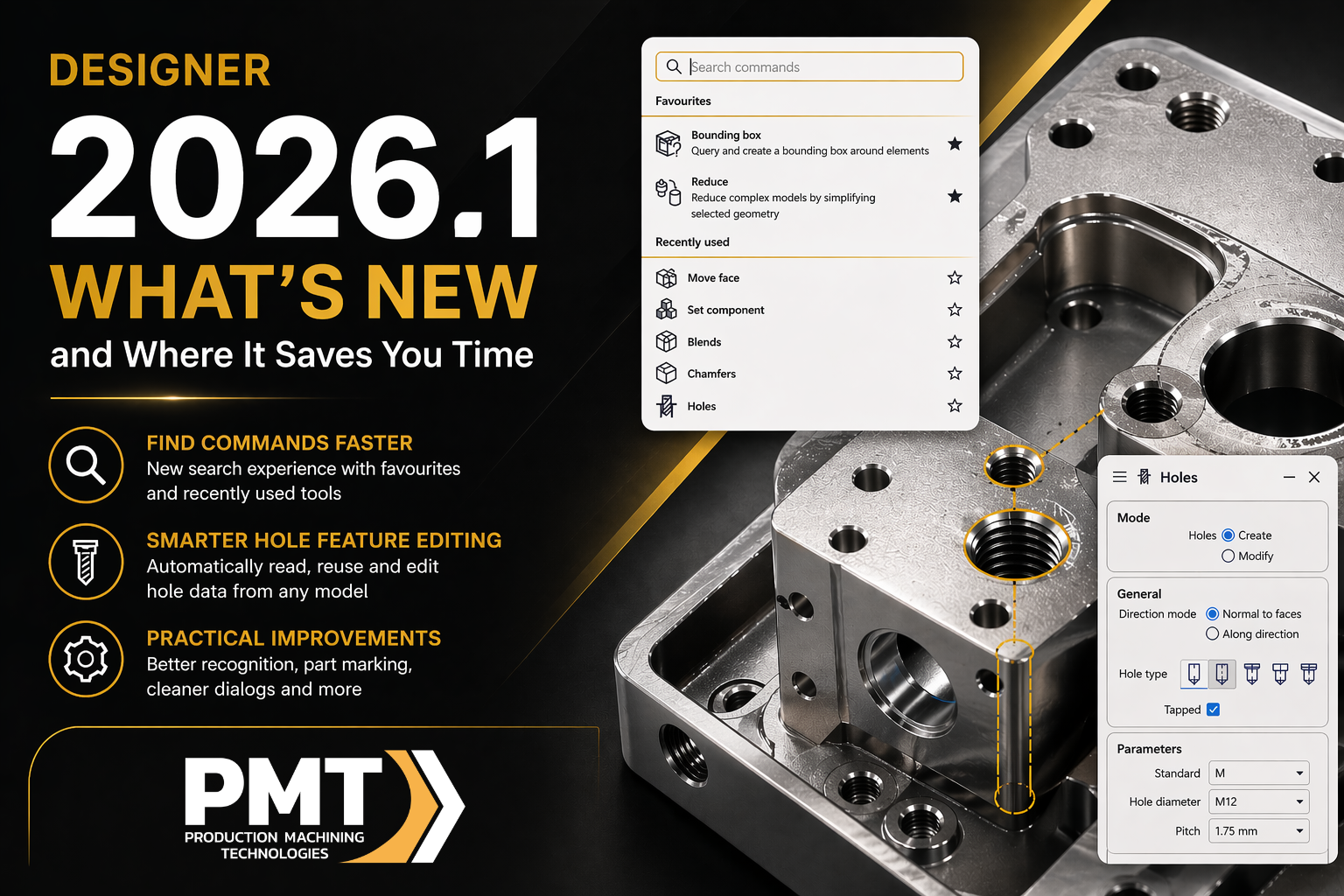
If you’re using DESIGNER as part of your workflow, you already know the small things add up.
Searching for commands, fixing hole features, cleaning up models before machining… none of it is hard, but it all takes time.
DESIGNER 2026.1 focuses on improving those everyday tasks so you can move faster from design to production.
Finding Commands Faster (Less Clicking, Less Guessing)
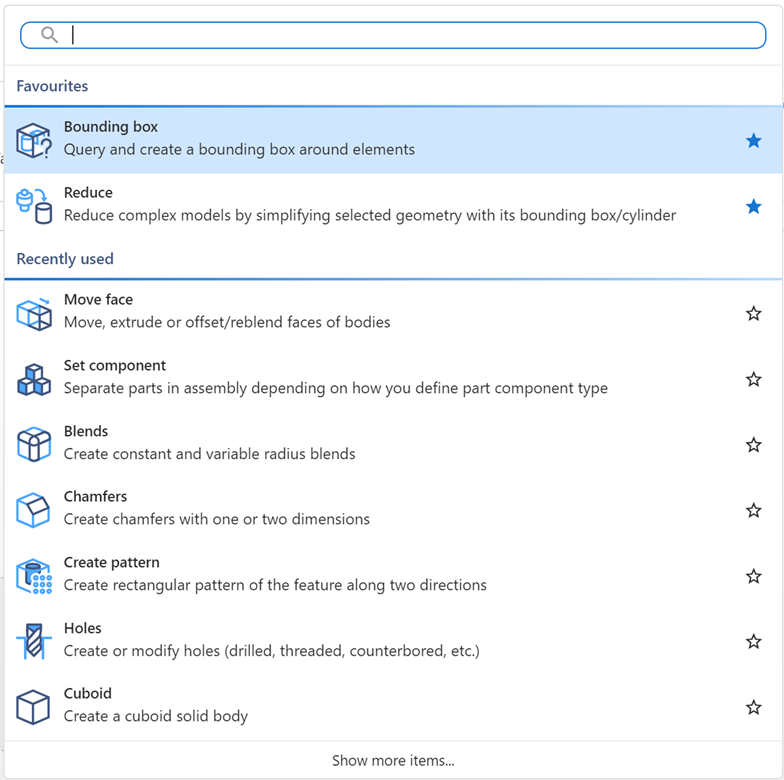
One of the most common slowdowns in any CAD system is simply finding the tool you need.
DESIGNER 2026.1 introduces an improved search experience that helps you get to commands faster. You can now use search, favorites, and recently used tools to avoid digging through menus.
This is especially useful if:
- You don’t use every feature every day
- You’re switching between different types of work
- You just want to get in and get something done without hunting for tools
It’s a small change, but it removes a lot of friction from daily use.
Smarter Hole Feature Editing (This One Actually Saves Time)
Anyone who’s worked with imported or older models knows how frustrating hole features can be.
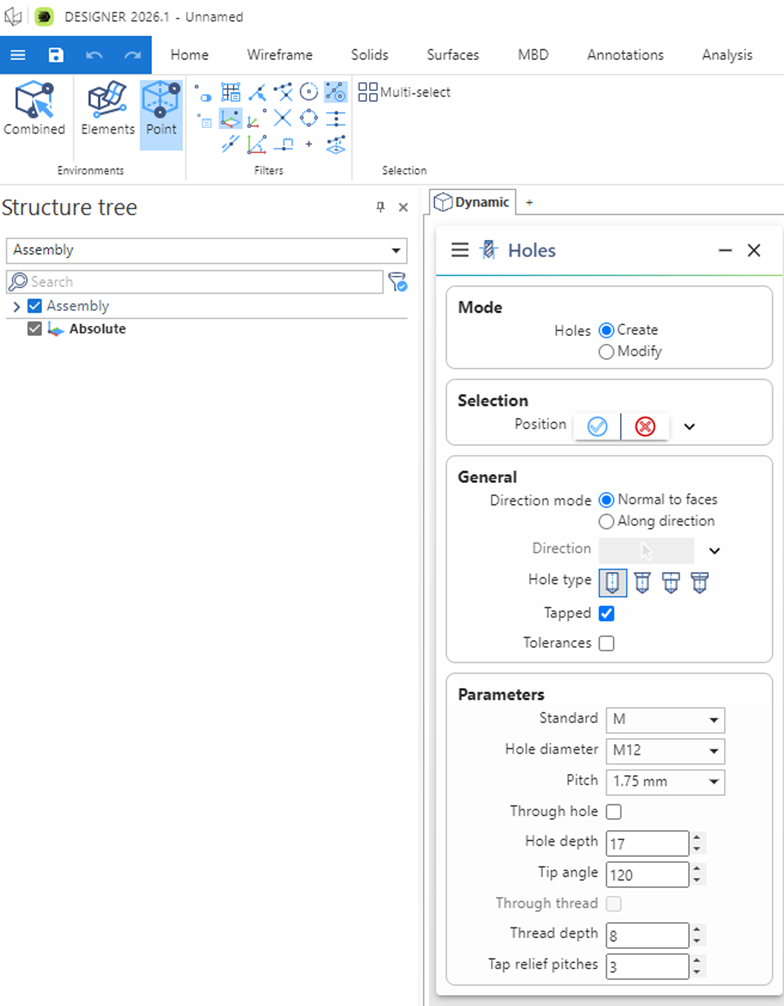
In DESIGNER 2026.1, the system can automatically read existing hole data and use it to prepopulate commands. That means you’re not rebuilding everything from scratch.
You can also:
- Select and filter hole features directly from the model or feature tree
- Reuse existing definitions
- Work more easily with legacy or imported geometry
Instead of guessing or recreating, you’re working with what’s already there. That leads to cleaner models and less manual work.
Practical Improvements That Help in Real Workflows
There are also a few smaller updates that make a difference when you’re preparing parts for manufacturing:
- Material form recognition now detects 1D and 2D forms in sheet metal parts automatically
- A new part name etching command lets you engrave identifiers directly into components for easier tracking
- Mortise straighten improves manufacturability when working with angled tenons in structural designs
- Dialogs are cleaner, with unused panels automatically hidden so you can focus on what matters
None of these are flashy, but they remove steps and reduce cleanup time.
Final Thoughts
This isn’t a “big headline” release, and that’s actually a good thing.
DESIGNER 2026.1 focuses on improving the kind of tasks people deal with every day. Less clicking, less rebuilding, and fewer workarounds.
If your team spends time preparing models before machining, these updates help keep things moving and reduce repetitive work.
Recent Posts
-
ESPRIT EDGE 2026.3: New Features & What You Need to Know
-
How to Set Sub Spindle Pickup Reference Positions in ESPRIT EDGE
-
PMT and Morphos 3D Partner at IMTS 2026 to Connect CAD, CAM, and ERP
-
ESPRIT EDGE Toolpaths Grayed Out? Here’s How to Fix It
-
What Is VISI? An Introduction to CAD/CAM for Mould & Die Manufacturing