
ESPRIT – Switching Your Program to Production Mode
Transitioning a dual-spindle lathe from a single-piece setup into a continuous production cycle requires a deliberate shift in CAM logic. While linear programming works well for prototyping single components, high-volume manufacturing relies on Production Mode—a synchronized sequence where operations cycle continuously in a repetitive loop, running simultaneous operations across both spindles.
Setting up this workflow in ESPRIT requires configuring proper simulation states, adding part-ejection logic, and reordering transfer operations to maintain process integrity.
1. Preparing the Environment: Simulation and Stock Automation
Before modifying machining operations, two global settings ensure accurate visual feedback and flexible debugging:
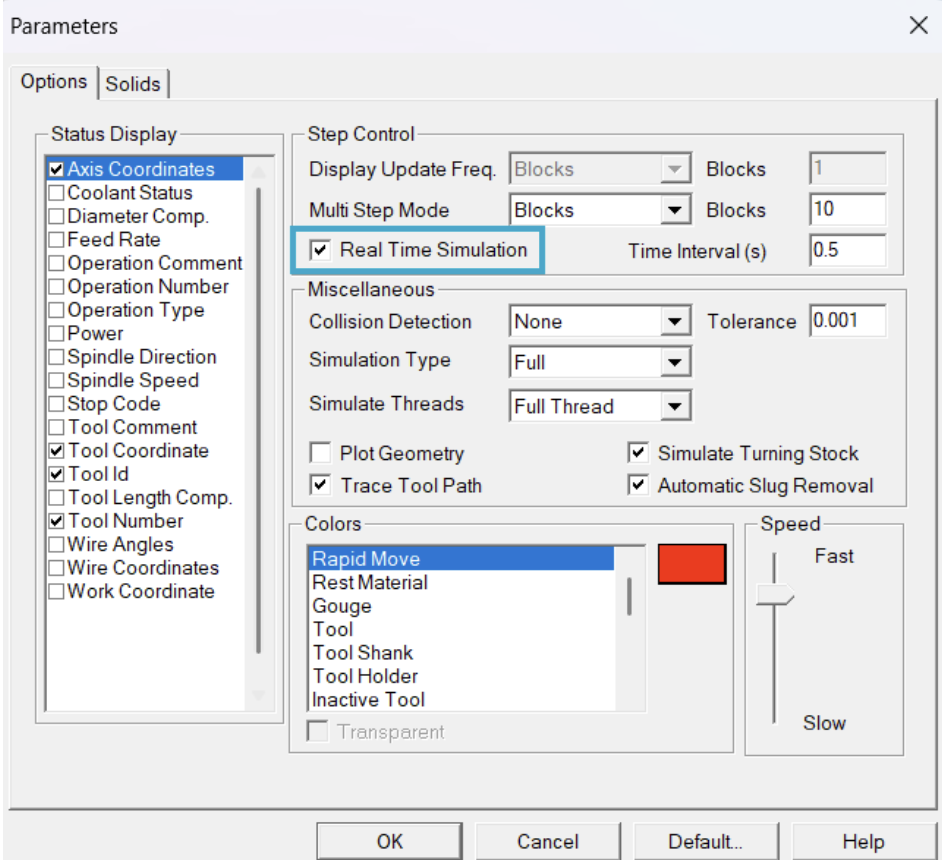
- Enable Real-Time Simulation: Access the simulation parameters dialog and check Real Time Simulation. Running animations at a calibrated, natural pace mirrors true machine kinematics, making cycle overlaps and potential clearance issues easier to identify.
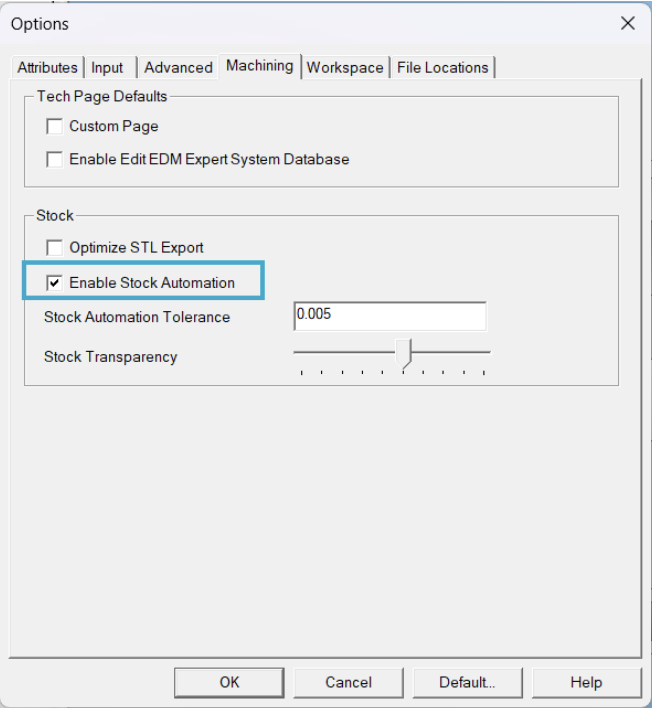
- Enable Stock Automation: Navigate to Tools > Options > Machining and activate Enable Stock Automation. This keeps stock models dynamically updated, allowing you to start or stop the simulation at any specific operation without recalculating previous toolpaths.
2. Establishing the Baseline Single-Part Sequence
In a standard linear workflow, ESPRIT processes a part from stock feed to cutoff sequentially:
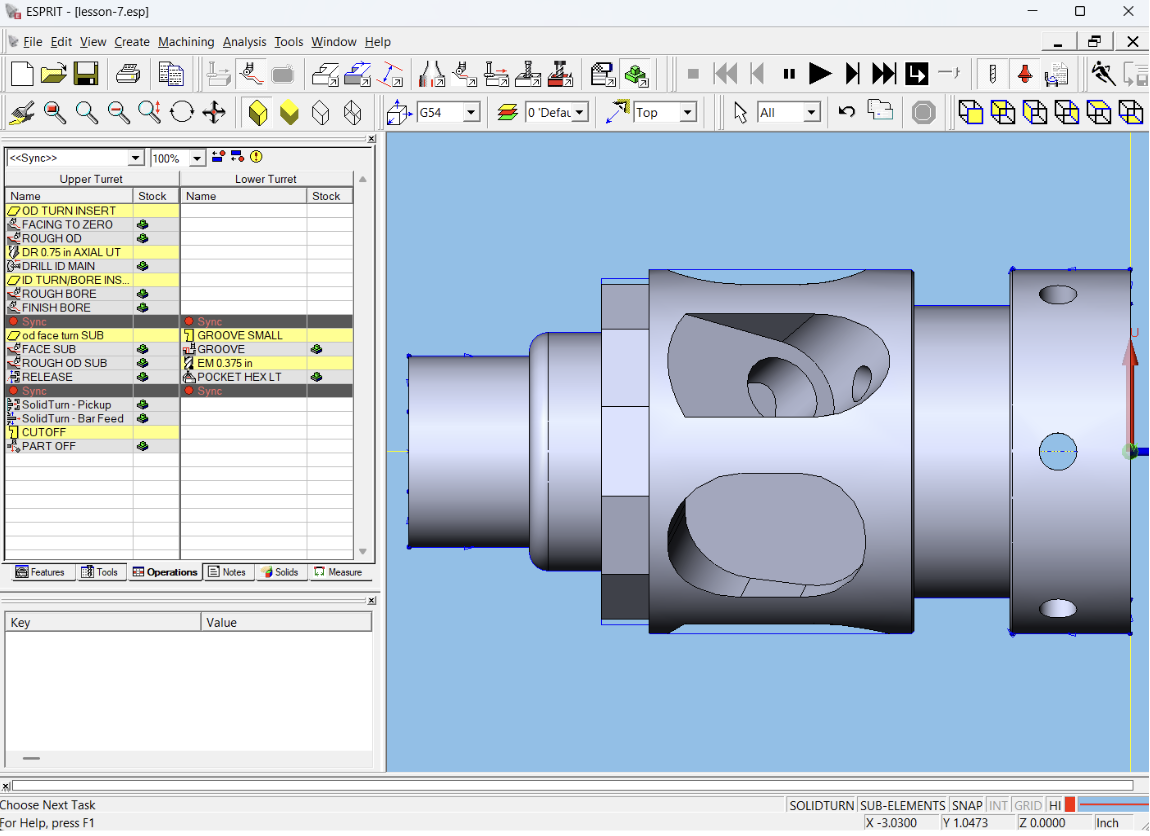
- Main Spindle Operations: Facing and outer-diameter (OD) turning on the upper turret, lower-turret grooving, blind-hole drilling, rough and finish internal-diameter (ID) boring, and ID hex milling.
- Workpiece Transfer: The sub-spindle approaches for pickup, pulls the bar feed, and the part-off tool separates the workpiece.
- Sub-Spindle Secondary Operations: Secondary facing and finish OD turning on the exposed back face.
Once this baseline is verified, the challenge is converting it into an infinite loop where the sub-spindle finishes Part A while the main spindle begins Part B.
3. Implementing Production Mode Logic
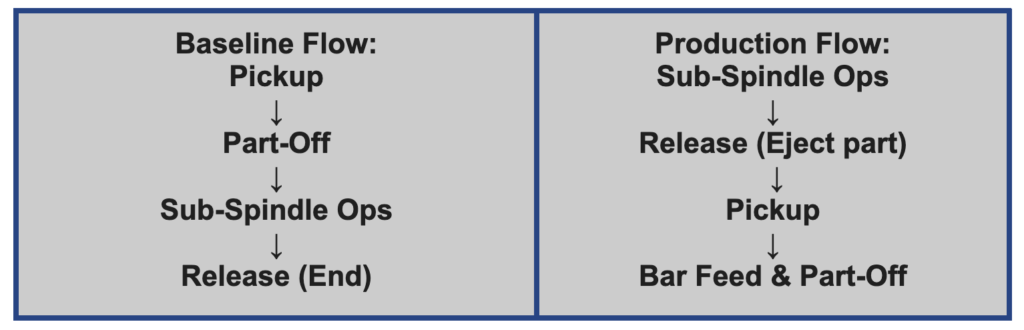
The key obstacle to looping a dual-spindle program is spindle availability. ESPRIT cannot execute a sub-spindle pickup if the software registers the sub-spindle as already holding a finished component. Resolving this requires an explicit release cycle positioned upstream in the operation manager.
Step A: Define the Release Cycle

From the SolidTurn menu, select the Release operation. Configure the parameters as follows:
- Spindle Name: Sub Spindle
- Turret Name: Upper Turret (standard active turret assignment)
- Release Position: Set appropriate clearance values (such as X=-5.0in and Z=12.0in) to ensure the part chute catches the component safely.
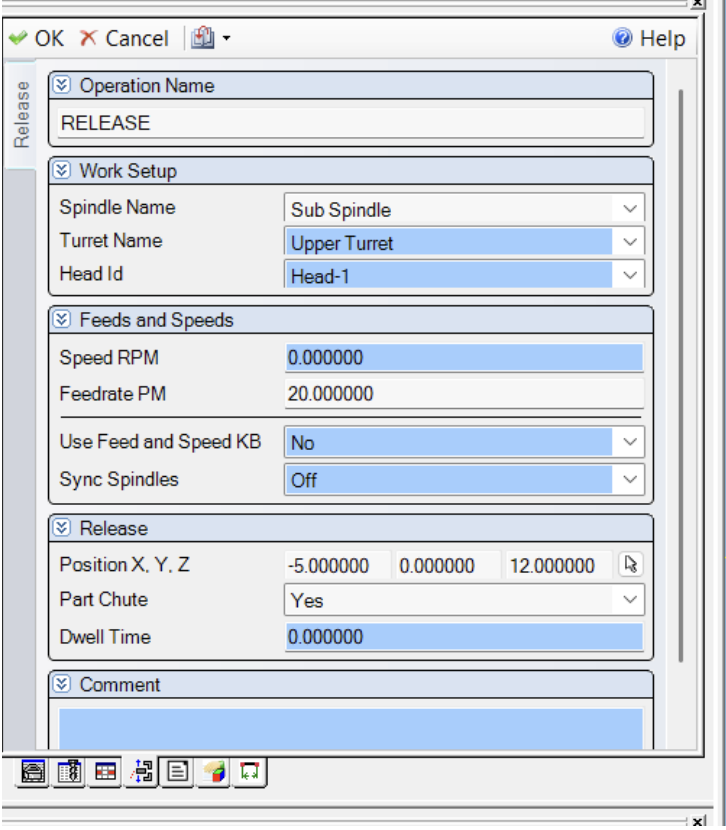
Run a quick localized simulation to confirm that the part unclamps and ejects as intended.
Step B: Reorder the Operation Sequence
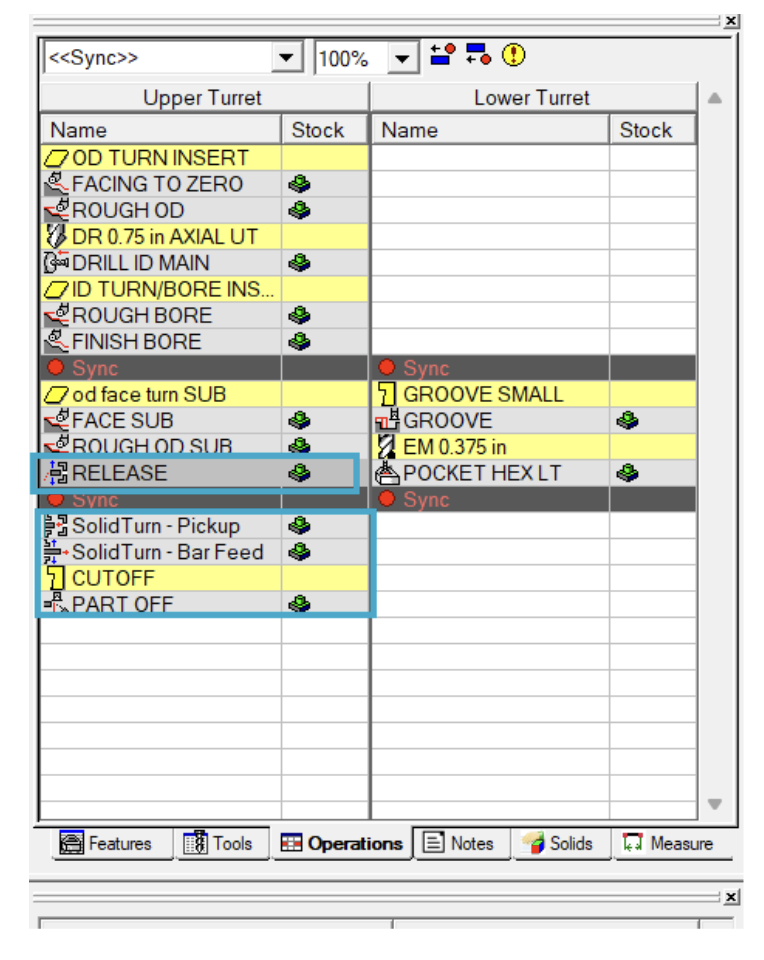
In the Operations Manager, drag the newly created Release cycle so that it appears before the Sub-Spindle Pickup.
Moving the release command establishes the core logic of production mode: it instructs ESPRIT that the sub-spindle has ejected the previous part and is empty before the next pickup takes place.
4. Path Optimization and Bar Feed Calculation
Once the release logic is set, fine-tune cycle efficiency by dragging operations and inserting synchronization wait marks between the upper and lower turrets. Balancing tool engagement allows simultaneous machining on both spindles without turret interference.
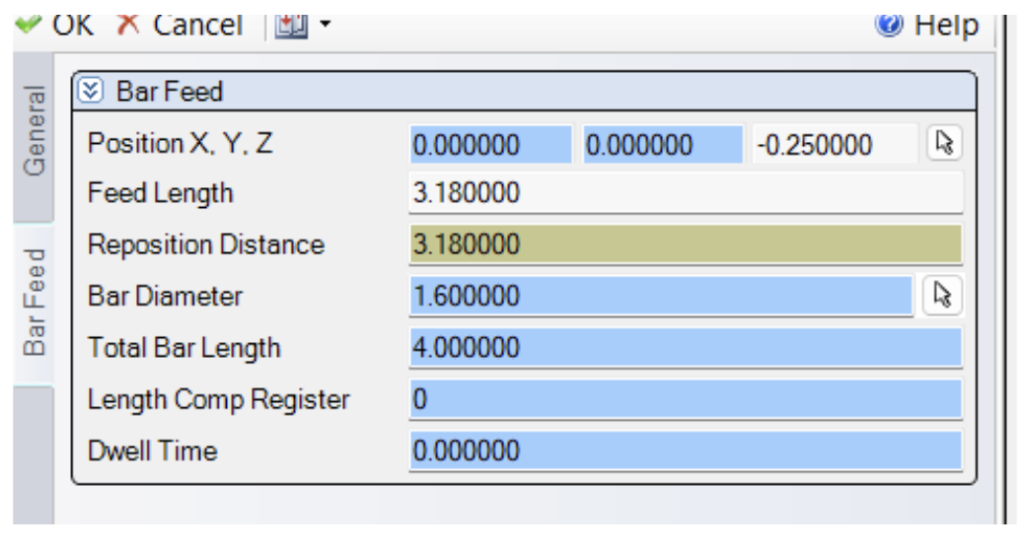
Pay close attention to the Bar Feed Length parameter. In repetitive production loops, even a minor discrepancy compounds with every cycle. Calculate the exact stroke length using:
Bar Feed Length=Part Length+Front Face Stock+Back Face Stock+Cutoff Tool Width
Ensuring this value matches physical part geometry prevents short feeds or material collisions downstream.
5. Verification
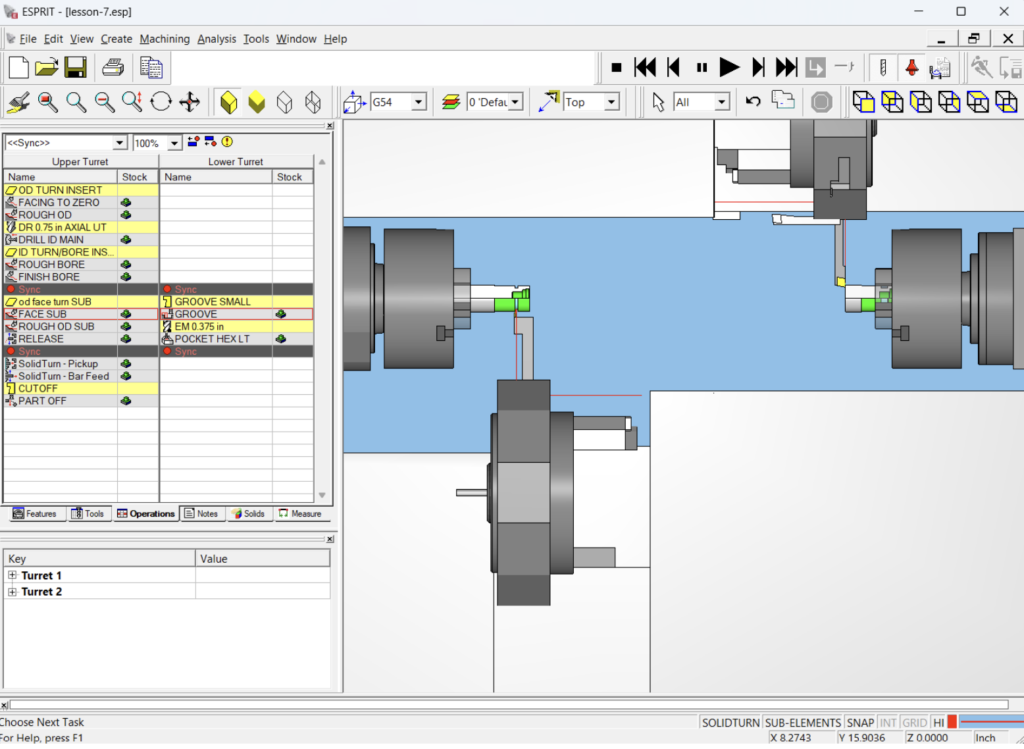
Conclude by running a complete cycle simulation. Verify that the main spindle starts machining raw bar stock while the sub-spindle completes back-working operations on the previous piece. Confirm that the part unclamps to the chute, the sub-spindle synchronizes for pickup, cutoff completes smoothly, and the loop resets seamlessly.
For a complete walkthrough of this setup, be sure to check out our video tutorial on the PMT YouTube channel. If you have questions about multi-spindle synchronization, post-processor support, or custom training for your team, please reach out to us directly at Production Machining Technologies.