SURFCAM 2025.1 B142 is now available and brings a series of practical updates focused on improving usability, toolpath performance, and day-to-day workflow.
This release builds on recent updates and continues refining how users interact with layers, toolpaths, and operations.
Here’s what stands out.
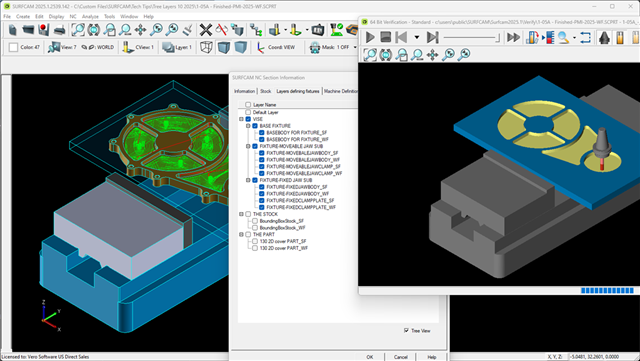
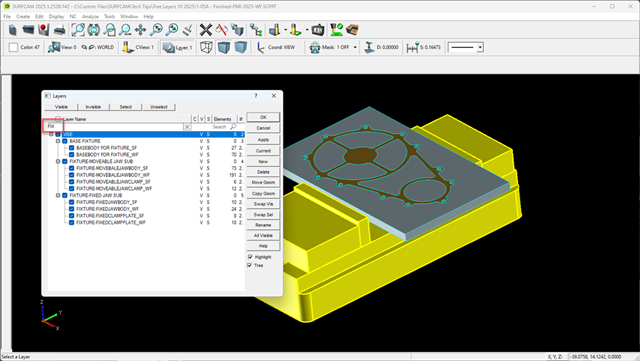
Expanded Tree View Layer Interface
The updated Layer interface builds on the improvements introduced in SURFCAM 2024 and adds more flexibility and control.
Key updates include:
- Drag and drop layer organization with single-click selection
- Parent/Child structure for better hierarchy control
- Partial text search for faster filtering
- Element count per layer to quickly locate geometry
- Expand/Collapse options directly in the right-click menu
- Empty layers hidden in classic mode
It also improves how fixtures are selected during Verify and supports organized layer imports from formats like DESIGNER (.VDF).
Why it matters:
Managing complex geometry is faster and more intuitive, especially when working with large assemblies or imported data.
Faster Waveform 2D Toolpaths
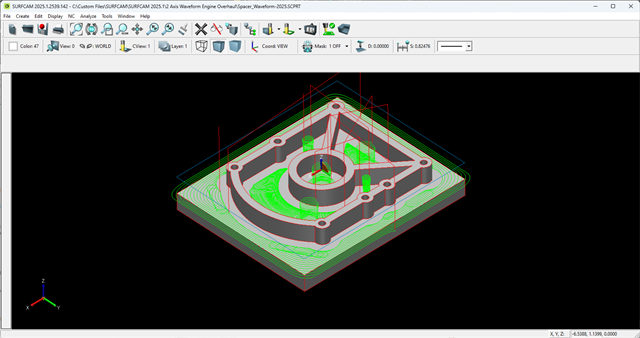
The Waveform 2D command has been updated using the latest Hexagon CAMENGINE interface, significantly improving calculation speed.
It also restores the ability to machine both internal and external contours in a single toolpath.
Why it matters:
You get faster toolpath generation and more efficient roughing strategies without needing multiple operations.
Mask Settings Saved with Files
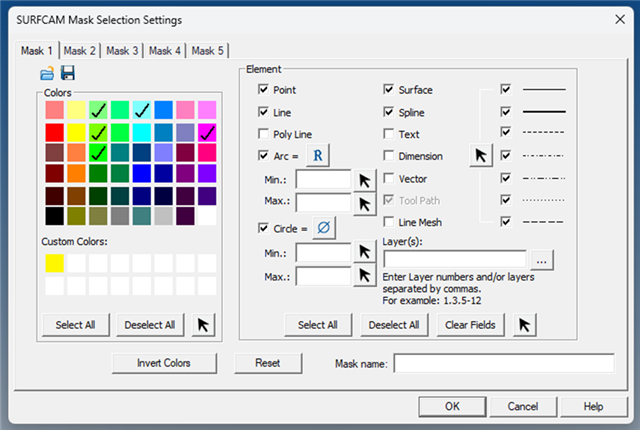
Mask settings are now stored directly within SURFCAM files.
When enabled, your mask configuration will automatically reload the next time the file is opened.
Why it matters:
You can pick up right where you left off without reconfiguring your workspace every time.
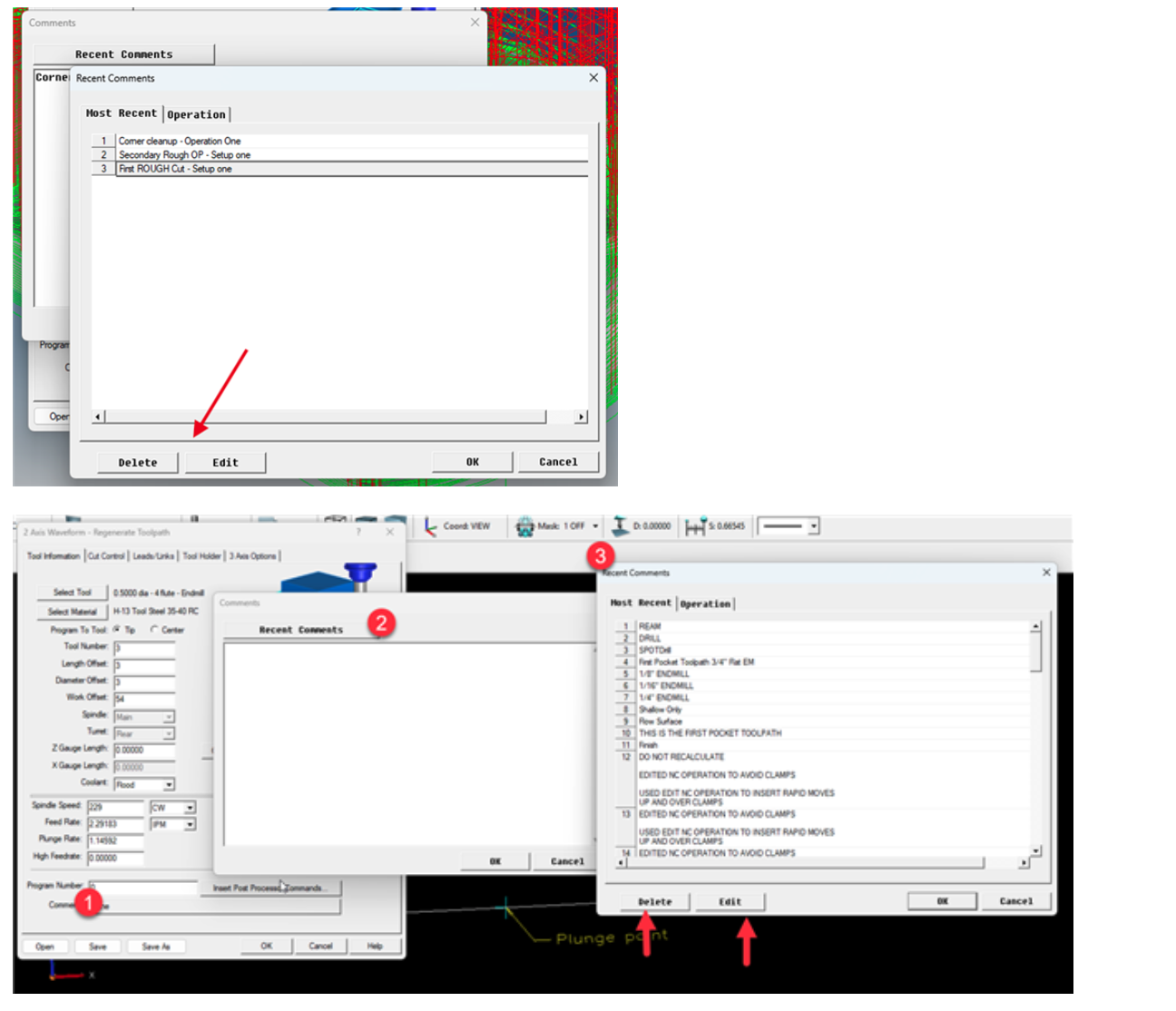
Toolpath Comment Storage and Editing
Toolpath comments are now stored in the SURFCAM SQL database and can be edited or deleted as needed.
Recent comment lists can also be managed more easily.
Why it matters:
Improves organization and makes it easier to label, track, and reuse toolpath information.
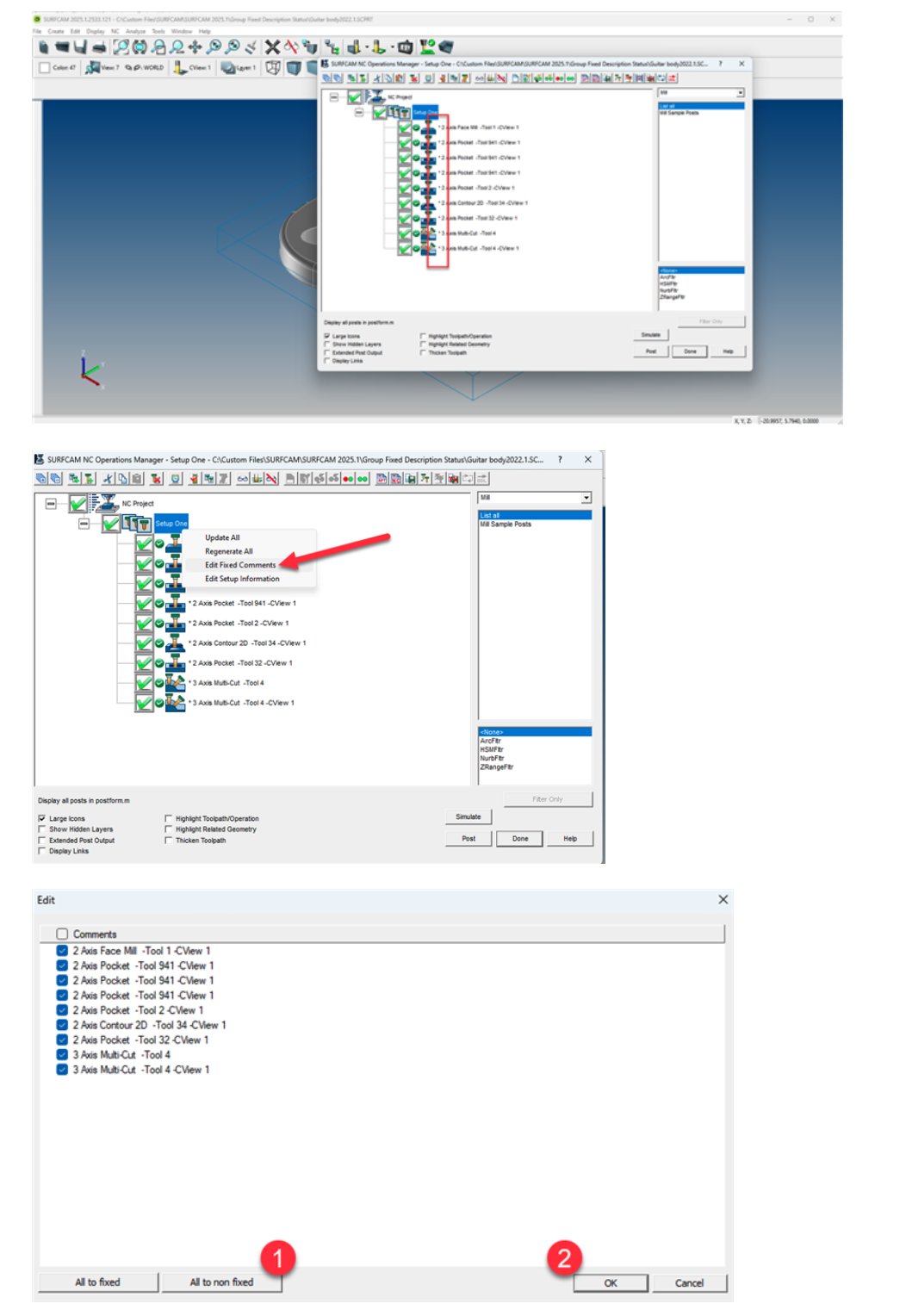
Batch Editing for Fixed Toolpath Descriptions
You can now apply or remove fixed descriptions across multiple toolpaths at once.
This eliminates the need to update each toolpath individually.
Note: Toolpaths must be regenerated after changes to reflect updates, preserving any manual edits made by the user.
Why it matters:
Saves time when managing large numbers of toolpaths while still protecting custom edits.
Improved Fixture Layer Handling in Operations Manager
Updates to the Operations Manager include:
- Scroll functionality in the fixture layer setup for complex models
- Tree view support for fixture stock selection
Why it matters:
Makes fixture setup more manageable and improves visibility when working with detailed setups.
Installation and Update Options
SURFCAM 2025.1 can be installed through:
- The Hexagon Customer Portal
- The Universal Updater app (Windows: Start > All Apps > Universal Updater)
Final Thoughts
SURFCAM 2025.1 focuses on refining the user experience.
From better layer control to faster toolpaths and improved operation management, these updates are designed to help users work more efficiently without changing how they already operate.
If you’re using SURFCAM regularly, these improvements will make a noticeable difference in your day-to-day workflow.