
Using Altitude and Border Analysis in WorkNC to Improve Machining Strategy
When programming complex parts in a CAM environment, understanding geometry quickly and accurately is essential. WorkNC provides several highly effective visualization tools within the Analysis module that help programmers evaluate geometry before toolpaths are created.
In this article, we’ll focus on two especially useful features inside the WorkNC Analysis tool:
- Altitude Analysis
- Border Analysis
These tools provide immediate visual feedback that helps machinists and programmers make smarter decisions about setup, tooling, machining strategy, and manufacturability.
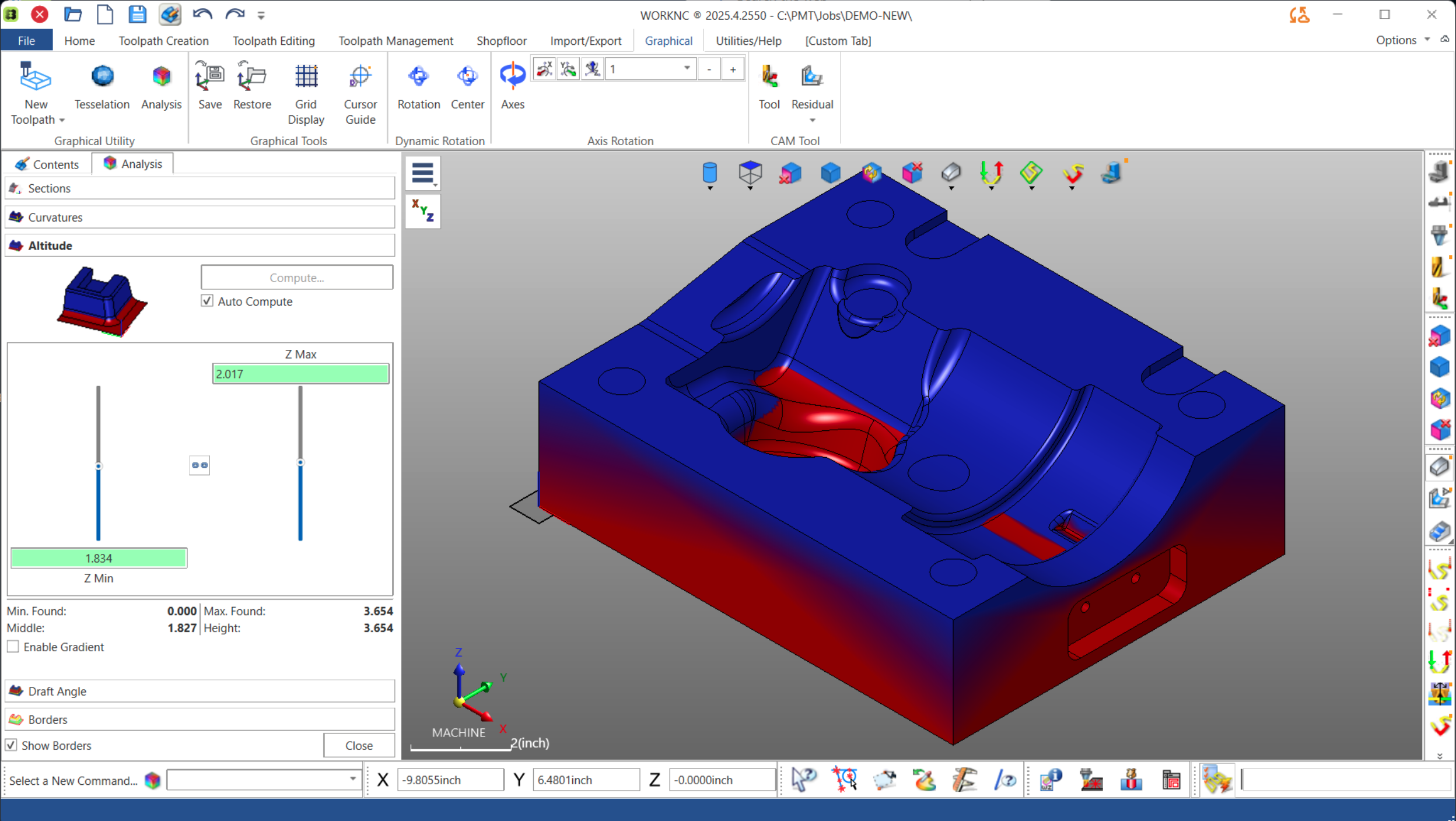
Accessing the Analysis Tools
To access these features in WorkNC:
- Navigate to the Graphical tab
- Select Analysis
- Choose either:
- Altitude
- Borders
These tools are designed to provide fast visual analysis directly on the model without requiring additional geometry creation or measurement operations.
Altitude Analysis: Visualizing Z-Height Across the Part
The Altitude function highlights the model using a color gradient based on Z-height.
Typically:
- Blue represents higher areas
- Red represents lower areas
This immediately provides a clear understanding of the vertical distribution of the part geometry.
One of the most valuable aspects of this tool is that WorkNC displays:
- The minimum Z-value
- The maximum Z-value
- The overall block height
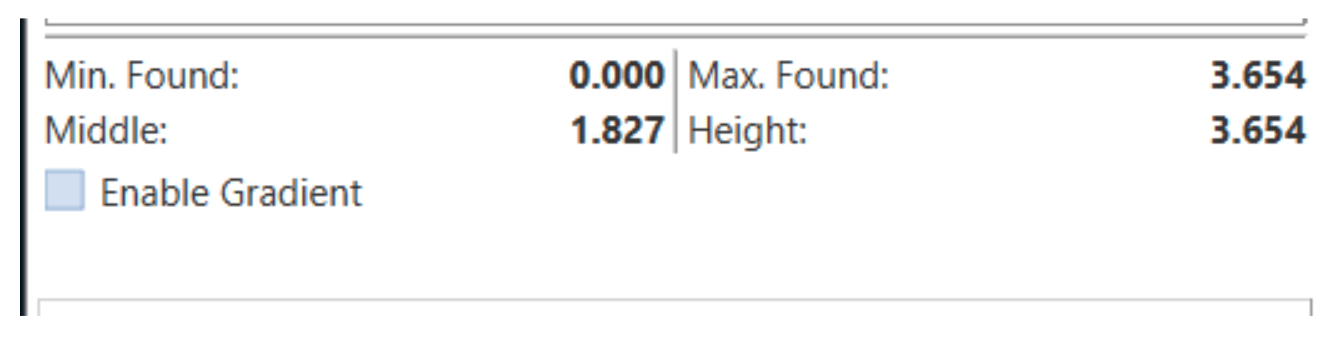 This gives programmers a quick verification of:
- Raw stock dimensions
- Machining depth
- Lowest cutting positions
- Vertical travel requirements
For many jobs, simply confirming the total height of the block and locating the lowest machining depth can save setup time and reduce programming mistakes.
Interactive Z-Value Measurement
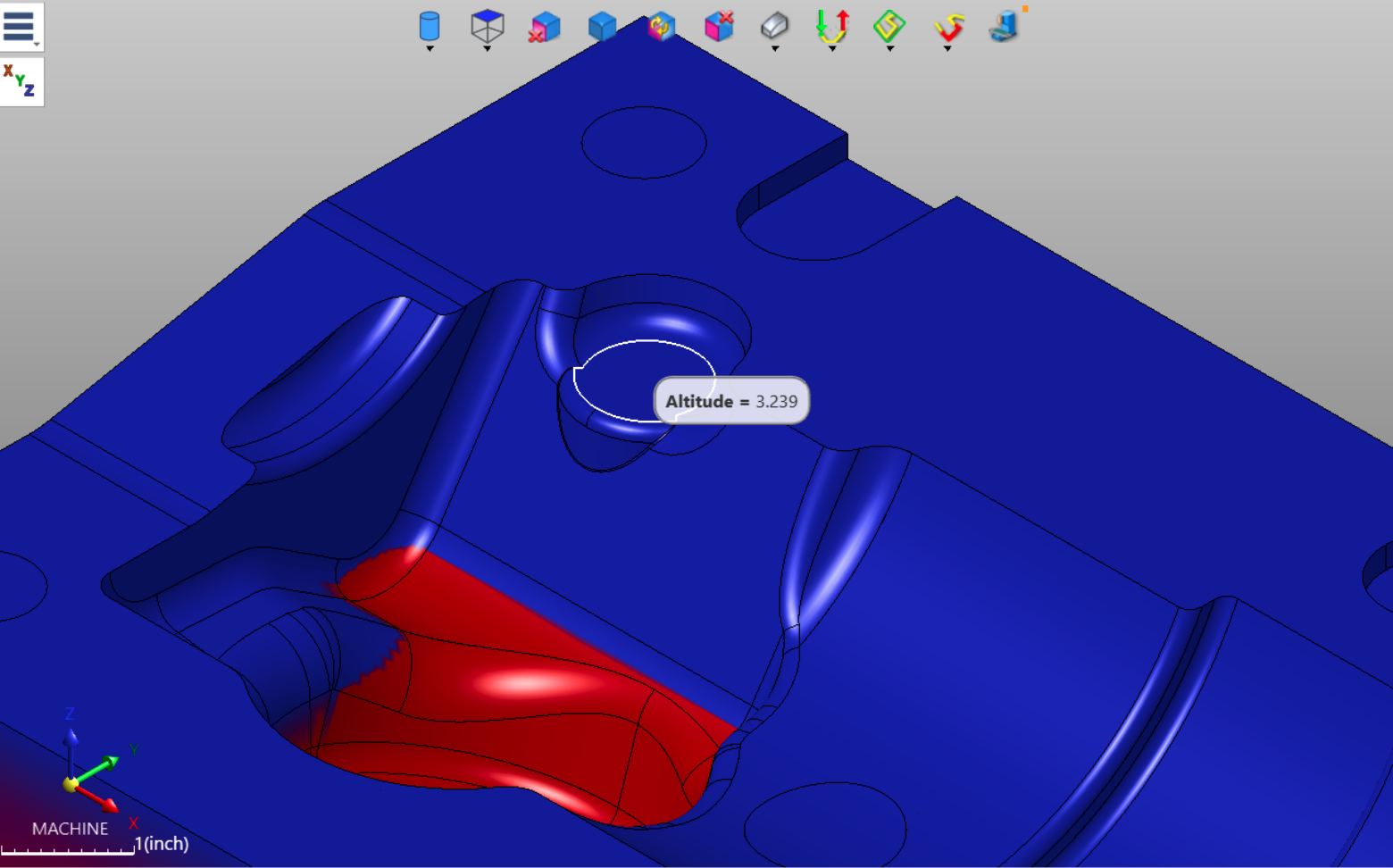
Another highly practical feature is the ability to click directly on geometry to retrieve live altitude values.
When selecting a point on the model, WorkNC displays the exact Z-height of that feature.
This works on:
- Flat surfaces
- Sloped surfaces
- Complex sculpted geometry
- Transitional radii
Because the measurement is dynamic, programmers can quickly evaluate:
- Pocket depths
- Step heights
- Blend transitions
- Slope elevations
Without needing to create construction geometry or manually measure surfaces.
This makes Altitude Analysis an extremely efficient verification tool during early programming stages.
Using Altitude Range Sliders
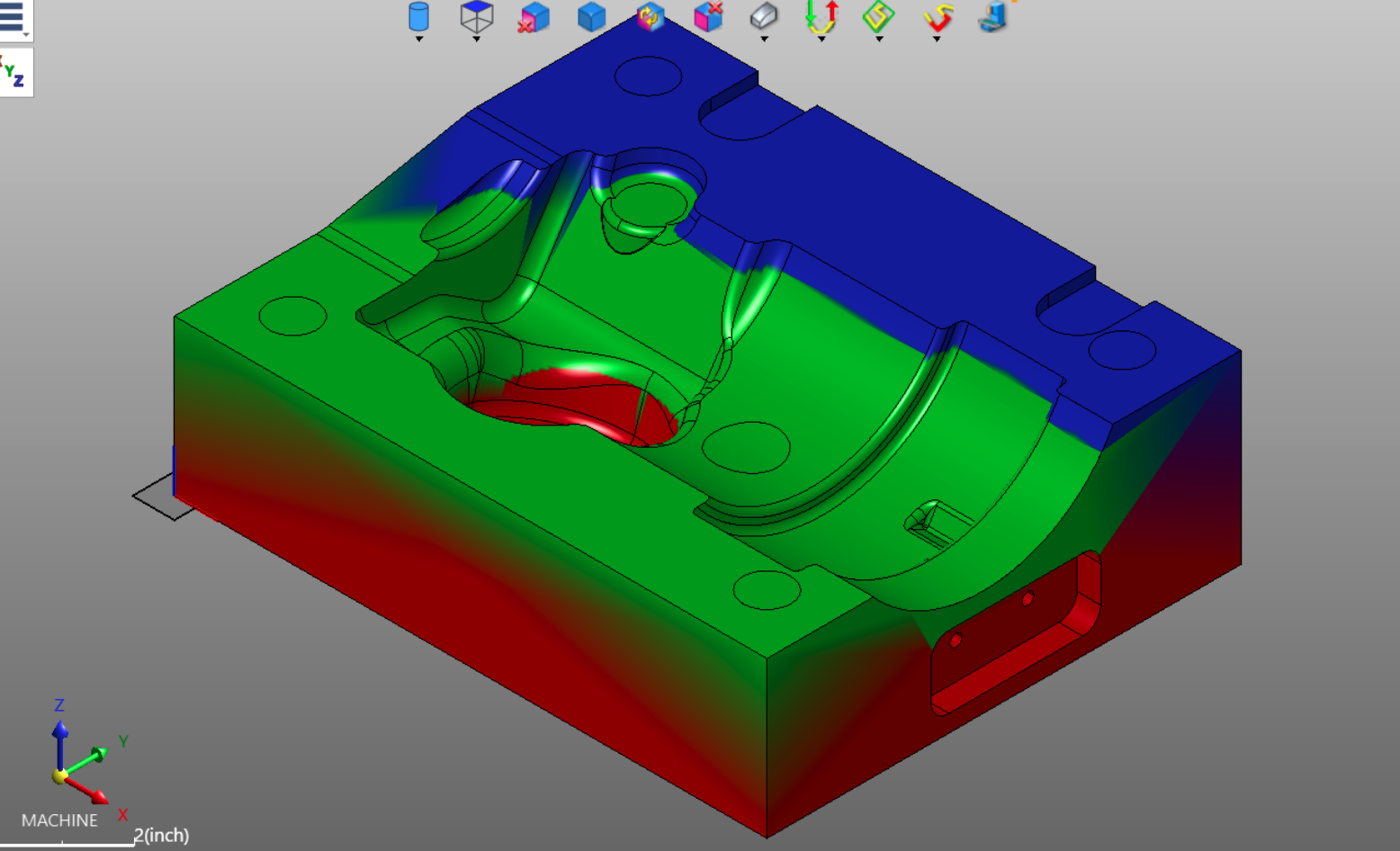
The Altitude tool also includes adjustable sliders that allow users to isolate specific Z-ranges.
By narrowing the displayed range, programmers can:
- Focus on specific machining levels
- Isolate shallow or deep regions
- Compare elevations across the model
- Better visualize machining zones
This becomes especially valuable on large mold surfaces or highly contoured aerospace and automotive components where multiple Z-levels exist throughout the part.
The ability to dynamically filter altitude ranges provides a fast and intuitive method for understanding complex geometry.
Border Analysis: Identifying Critical Surface Intersections
The Borders function highlights where surfaces intersect and categorizes those transitions into different border types.
This is extremely useful for evaluating:
- Sharp internal corners
- Tangential transitions
- External edges
- Potential tooling challenges
The analysis is divided into three primary border categories.
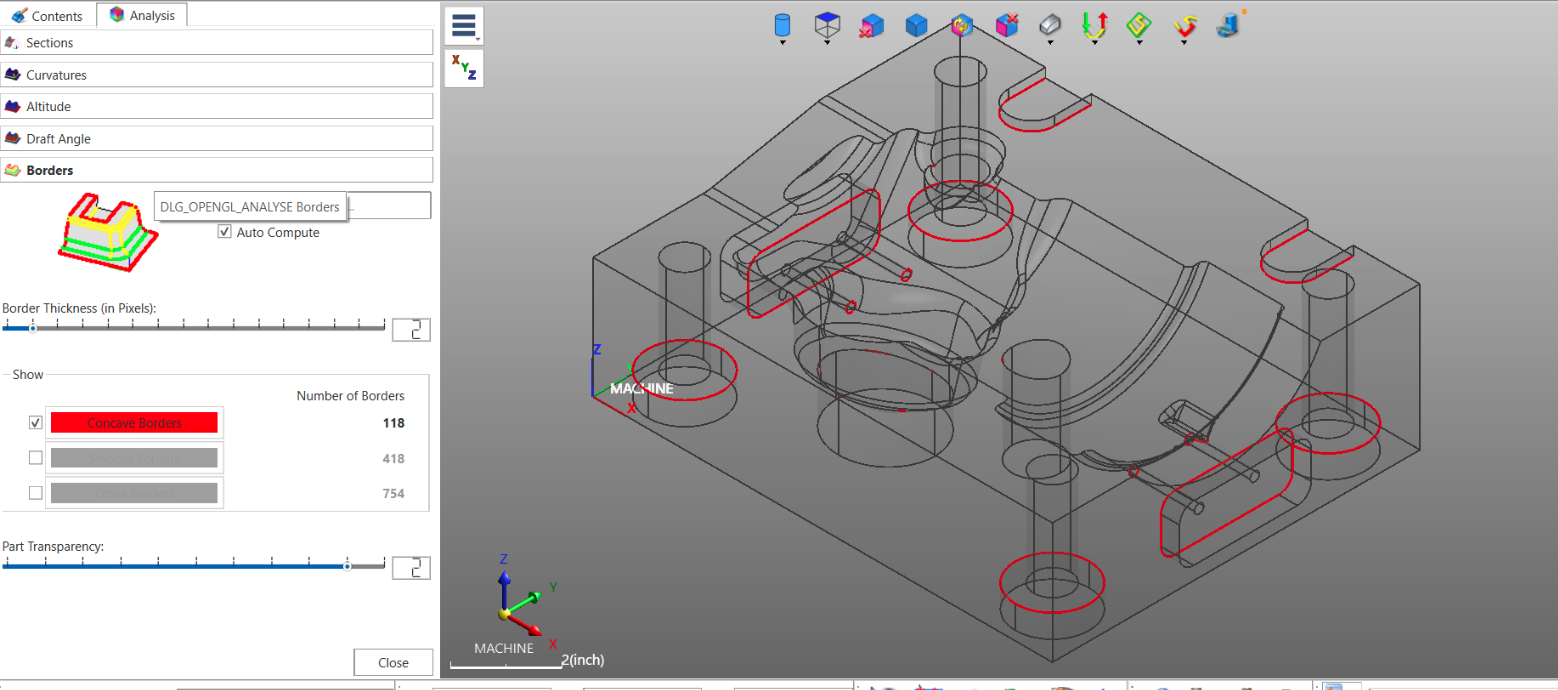
Concave Borders
Concave Borders are typically shown in red and represent sharp internal intersections.
These are often the most important borders for machining analysis because they can indicate:
- Tight inside corners
- Small radius requirements
- Areas requiring small endmills
- Potential EDM electrode locations
These borders commonly appear:
- In pockets
- Around counterbores
- In keyways
- At intersecting wall transitions
- At the bottoms of drilled holes with conical geometry
By identifying these areas early, programmers can determine:
- Whether standard tooling can reach the feature
- If reduced tool diameters are required
- Whether additional machining operations or EDM work may be necessary
This dramatically improves process planning efficiency.
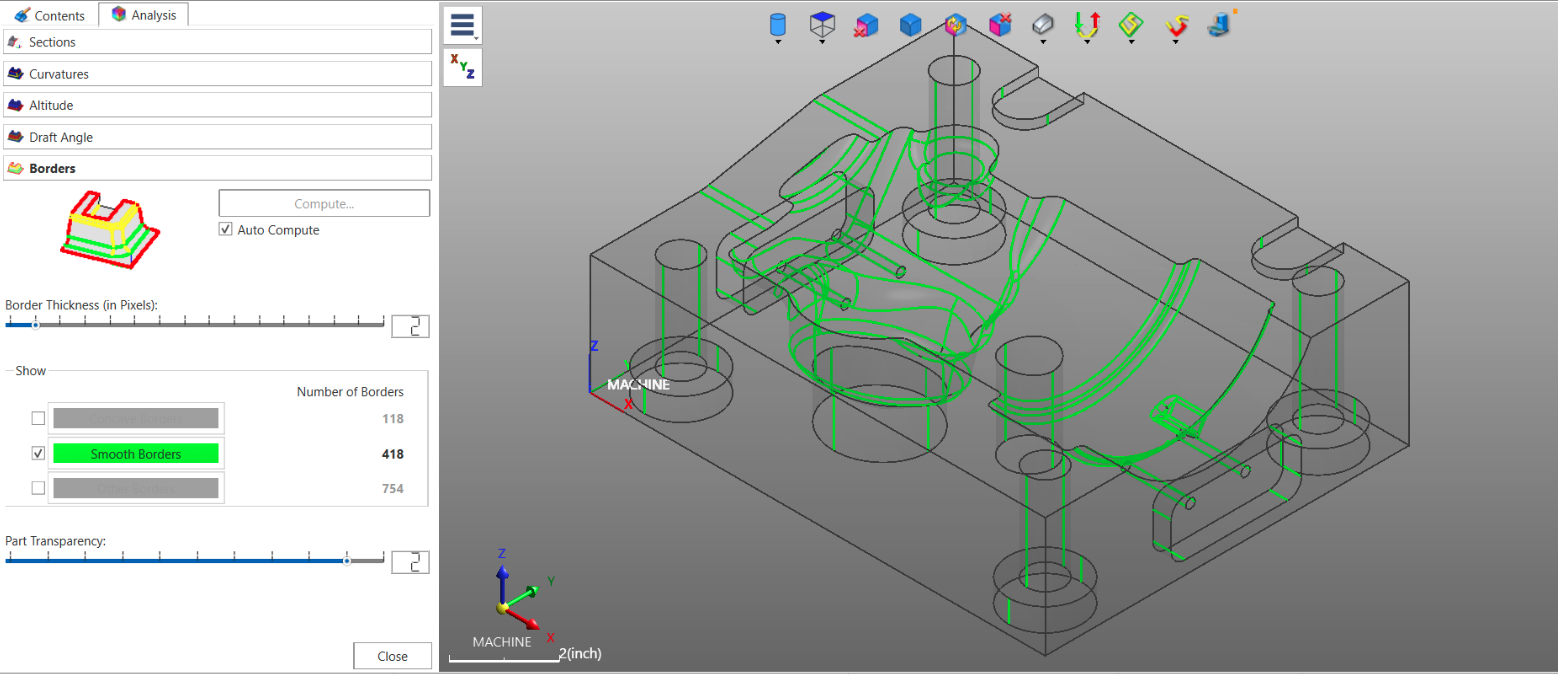
Smooth Borders
Smooth Borders identify tangential transitions between surfaces.
These borders are useful for understanding:
- Surface flow continuity
- Blend quality
- Toolpath smoothing behavior
- Potential finishing strategies
Since these transitions are tangent, they generally represent areas where machining can flow more smoothly with fewer abrupt tool direction changes.
This information is especially valuable in high-speed finishing applications.
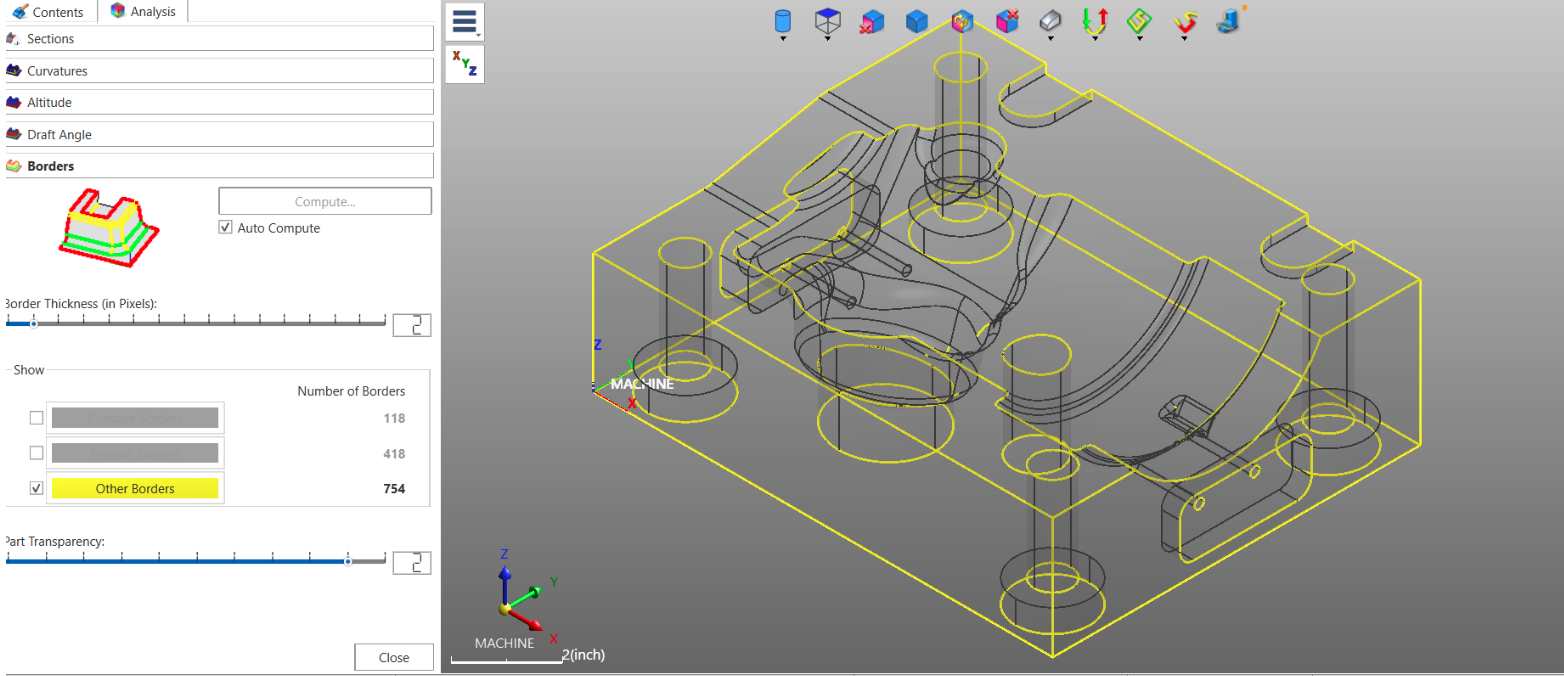
Other Borders
The Other Borders category highlights external sharp edges and general surface transitions.
Although these borders may not create the same machining challenges as internal sharp corners, they still provide valuable insight into:
- Surface termination points
- External geometry transitions
- Potential stock engagement changes
- Tool containment considerations
Together, these border visualization modes help programmers fully understand how surfaces interact throughout the model.
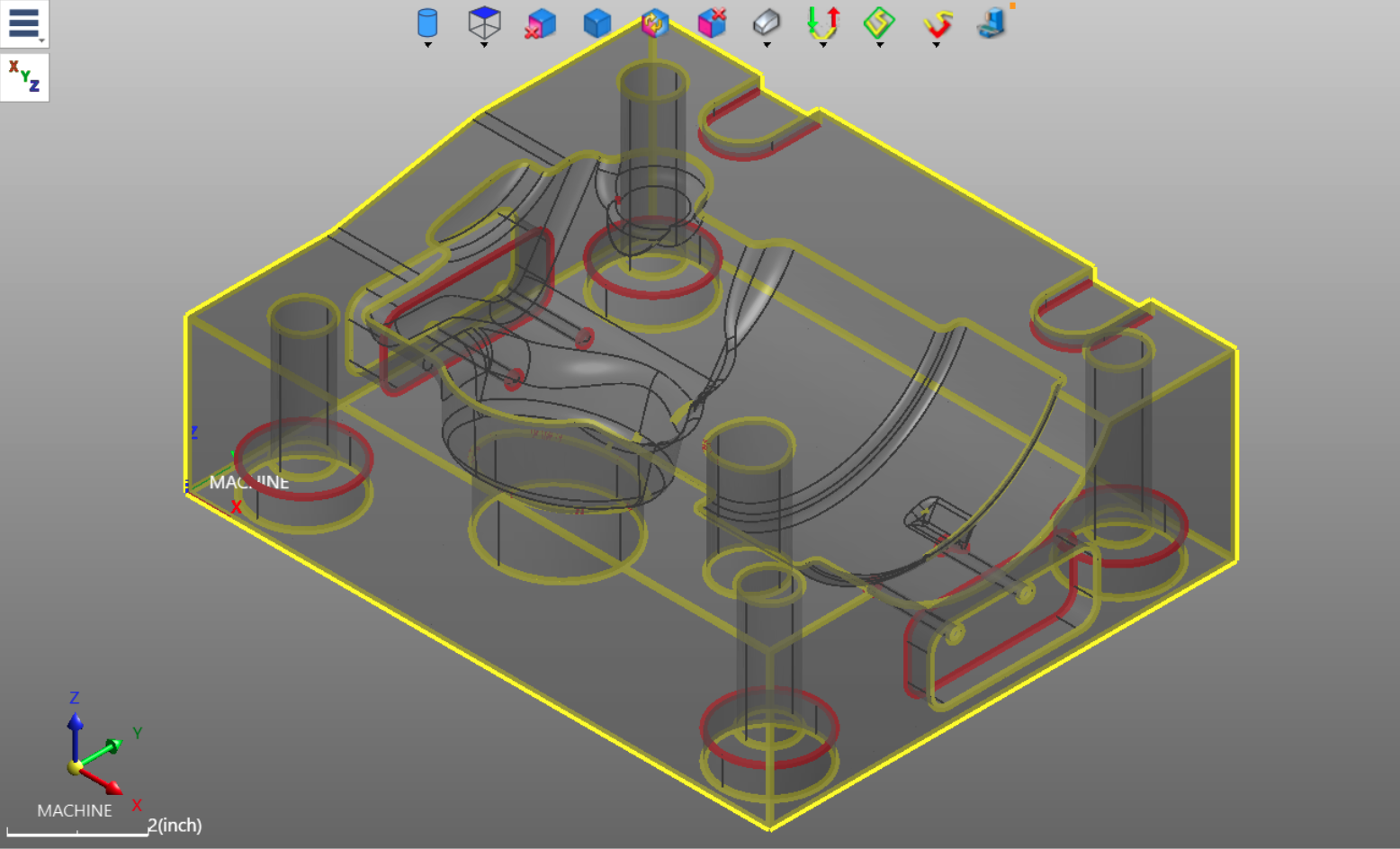
Adjusting Border Thickness and Transparency
WorkNC also allows users to customize the display for improved clarity.
Additional controls include:
- Border thickness adjustment
- Part transparency control
Increasing border thickness makes intersections easier to identify on dense geometry.
Transparency controls help expose internal details and hidden transitions that might otherwise be difficult to visualize.
These customization options make the analysis tools highly adaptable to different model types and programming scenarios.
Why These Analysis Tools Matter
Altitude and Border Analysis provide far more than simple visualization.
They help machinists and CAM programmers:
- Validate stock and machining depths
- Identify difficult-to-machine areas
- Select proper tooling
- Improve setup planning
- Anticipate EDM requirements
- Optimize finishing strategies
- Reduce programming time
Most importantly, they allow critical machining decisions to happen early in the process — before toolpaths are generated.
That leads to:
- Faster programming
- Fewer surprises on the shop floor
- Better machining efficiency
- Improved part quality
Final Thoughts
The Analysis tools inside WorkNC provide powerful insight into part geometry with very little effort. Features like Altitude and Borders allow programmers to quickly understand the physical characteristics of a model and make informed machining decisions early in the workflow.
Whether you're programming molds, aerospace components, medical parts, or precision tooling, these analysis functions can significantly improve both programming speed and machining confidence.
Understanding the geometry before creating toolpaths is one of the keys to efficient CAM programming — and WorkNC’s Analysis tools make that process faster and more intuitive.