VISI Flow
Simulate Your Injection Molding Process Before You Cut Steel
GET MORE INFORMATON & A FREE TRIAL
Optimize Your Mold Design and Molding Process
Part designers, mold makers, and molders all benefit from bringing simulation into the workflow earlier. VISI Flow uses advanced injection molding simulation technology to help teams achieve cost-effective, reliable mold designs and optimal processing conditions. Whether you're validating a new design before production begins or troubleshooting a part already running in the press, VISI Flow gives you the predictive insight to make better decisions at every stage.
Features at a Glance
- Integrated CAD/CAE application
- Patented solid meshing technology
- Fast model preparation and calculation times
- Accurate fill simulation
- Identification of cosmetic and aesthetic defects
- Multiple molding variable analysis
- Fiber orientation prediction
- Customizable material database
- Warpage prediction
- Thermal analysis
- Cooling layout optimization
- Import of cooling and runner systems
- Gas-assisted molding, co-injection, overmolding, and crosslinking analysis
CAD and Interfaces
Broad CAD Compatibility
VISI Flow works directly with Parasolid, IGES, CATIA v4 and v5, Pro/E, UG, STEP, SolidWorks, Solid Edge, ACIS, DXF, DWG, STL, and VDA files. The extensive translator library means your team can work with data from virtually any supplier or customer without conversion headaches. Large, complex files are handled efficiently, so geometry quality is never a bottleneck getting into simulation.
A Practical, Cost-Effective Solution
VISI Flow is designed to be approachable without sacrificing depth. Short model preparation and calculation times keep projects moving, and the interface is built to get engineers into analysis quickly rather than spending time on setup. With over 25 years in the injection simulation market, VISI Flow combines the modeling power of the VISI platform with the result accuracy of Finite Element Analysis — delivering a complete solution for part designers, mold designers, and injection molding process technicians alike, from initial fill analysis through warpage prediction and full thermal optimization.
Mold Design Tools
Pre-Production Analysis
Catch potential manufacturing problems before tool design even begins. Running a simulation at the earliest stage of a project allows you to identify issues like weld lines, air traps, and poor gate placement — giving your team the maximum amount of time to implement a solution before it becomes a costly change.
Post-Production Analysis
When a part is already in production and not meeting expectations, VISI Flow helps diagnose the root cause. Simulating the conditions inside the mold cavity during the molding cycle gives operators a clearer picture of what's happening — and which corrective actions will have the greatest impact on results.
Concurrent Engineering
Pre- and post-production analyses are valuable on their own, but the real power comes from integrating simulation throughout the entire development process. VISI Flow's connected CAD/CAM/CAE environment makes it possible to identify critical conditions early, fine-tune molding parameters, optimize runner and cooling layouts, and anticipate problems across every stage of plastic component development.
Runner and Cooling Systems
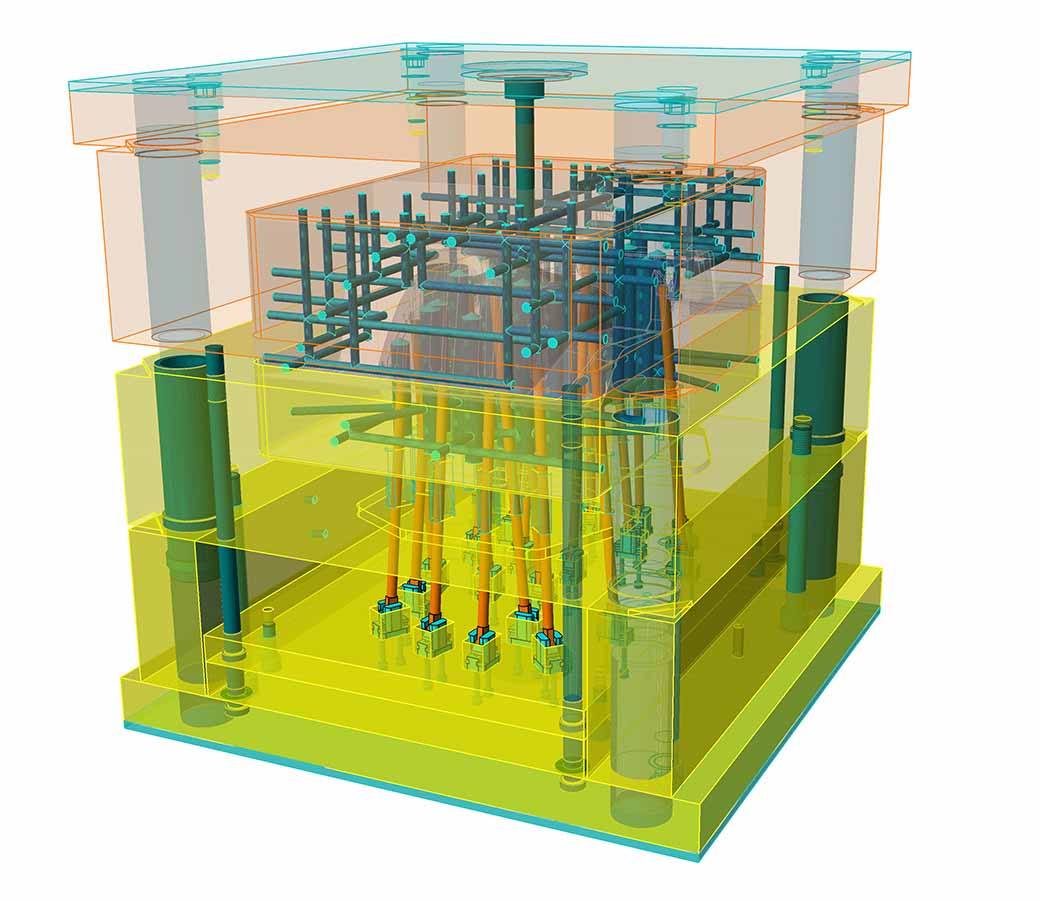
Any feeding or conditioning system — regardless of complexity — can be imported or built directly within the analysis environment. Multiple runner and cooling configurations can be evaluated side by side, making it straightforward to compare design options and select the most effective approach.
Patented Meshing Technology
VISI Flow uses a proprietary hybrid meshing approach to perform true 3D flow simulation with fast calculation times. Solid mesh creation is automated and applies to any CAD geometry, keeping model preparation quick and analysis turnaround short. The patented meshing method delivers consistent, reliable results regardless of part size, complexity, or wall thickness.
Materials Database
Simulation accuracy starts with accurate material data. VISI Flow includes an extensive database covering a broad range of polymer grades and suppliers. Because new materials are continuously entering the market, operators can easily add new resins or modify existing entries to precisely match the material being used in production.
Filling Phase
The fill simulation gives you the same level of control over molten polymer injection as you have at the press — but in a virtual environment before any steel is cut. Visualize how the plastic melt front will fill the cavity, identify potential cosmetic issues, and investigate key molding variables including pressure, temperature, shear stress, frozen skin, fiber orientation, clamping force, and more.
Shape Phase
VISI Flow Shape calculates and visualizes the final molded shape after accounting for filling, packing, and freezing phases. Displacement along any axis can be reviewed, warpage and linear shrinkage can be measured, and feature dimensions can be checked against tolerances. The analysis also highlights defects such as sink marks or voids caused by packing conditions. If needed, the warped model geometry can be exported and compared against the original CAD data to support reverse engineering or tool design modifications.
Thermal Phase
The thermal module provides detailed analysis of how the conditioning system affects the entire injection mold tool. Heat exchange between plastic and blocks, hot and cold runners, and mold inserts with highly conductive materials are all accounted for. Visualizing warpage in relation to the cooling layout helps define the optimal configuration for the shortest possible cycle times. Additional capabilities include independent control of core and cavity temperatures, temperature distribution analysis through insert blocks, and ejection time optimization based on the solid fraction of the part.
Advanced Molding Process Analysis Optional modules extend VISI Flow's capabilities to cover sequential molding, gas-assisted injection, co-injection, overmolding, and crosslinking grades. Across all modules, the system automatically populates key starting values based on the part geometry and selected material — getting your analysis up and running quickly without manual setup.