Burning Area Extraction
Once the areas requiring EDM work have been identified, enclosing the region with a 2D or 3D boundary gives you a fast, straightforward path to the required electrode geometry. Graphical face selection is also available for more complex areas that need careful extraction. VISI Electrode is designed to complement the skills of experienced electrode designers — combining intelligent automation with the ability to manually construct and modify geometry at any point. The result is a tool that adapts to your process rather than restricting it.
Electrode Creation
A guided interface walks the user through building the electrode nose step by step. Extension height can be added using either vertical or tangential extension methods, and multiple extrusion directions are available for open-sided electrodes requiring side extension. Dynamic animation and collision checking are accessible at any point during the creation process, so problems can be caught and corrected immediately.
Blank, Base, and Stock Creation
The electrode base and stock are added interactively directly to the electrode. Electrode name, material, burning operation type, identification marks, edge chamfers, position, and rotation can all be applied at this stage. Any information entered here is automatically carried through the entire electrode project and included in the final HTML report.
Holder Creation
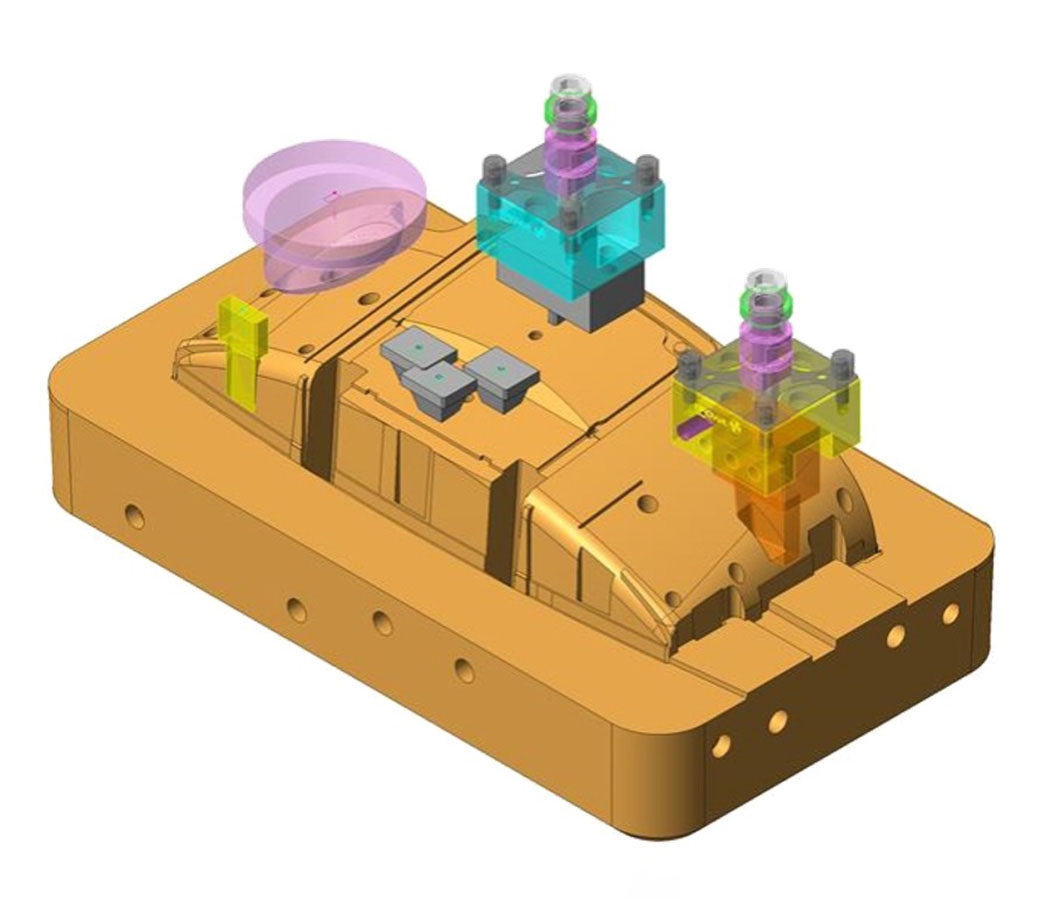
Holders can be built manually by defining width, depth, and height, or selected from an extensive standard library. When access to the electrode is restricted by neighboring surfaces, the holder can be offset from the electrode centerline to provide the clearance needed for the EDM machine to operate. Dynamic animation and collision checking confirm that the complete electrode assembly does not violate the part geometry.
Electrode Management
The EDM manager gives the operator a centralized tool for managing the workpiece, electrodes, multiple electrode positions, vertical and horizontal and angled simulation, collision checking, HTML reporting, and EPX output. To maintain compatibility with other CAD/CAM systems, each electrode can be automatically exported relative to the correct workplane using a neutral data format such as IGES, STEP, or STL.